1
2.6. Setup ActiveX to use the IP Camera
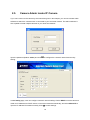
The IP Camera web pages communicate with the IP Camera using an ActiveX control. The ActiveX
control must be downloaded from the IP Camera and installed on your PC. Your Internet Explorer
security settings must allow for the web page to work correctly. To use the IP Camera, user must setup
his IE browser as follows:
2.6.1.
Internet Explorer 6 for Windows XP
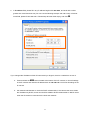
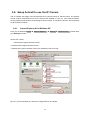
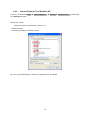
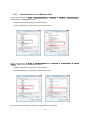
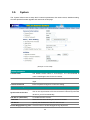
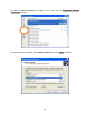
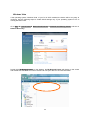
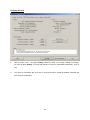
From your IE browse Î Tools Î Internet Options… Î Security Î Custom Level…, please setup
your Settings as follow.
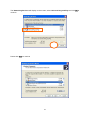
Set the first 3 items
• Download the signed ActiveX controls
• Download the unsigned ActiveX controls
• Initialize and script the ActiveX controls not masked as safe to Prompt
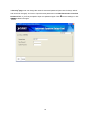
By now, you have finished your entire PC configuration for IP Camera.
17