1
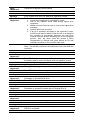
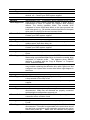
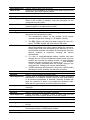
What
Happened?
What to Do?
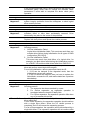
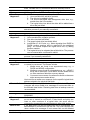
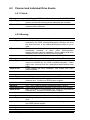
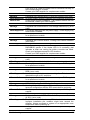
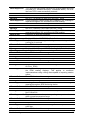
Logical Drive Migrate process started
Message
What
Happened?
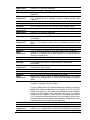
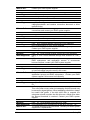
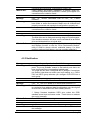
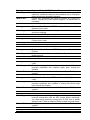
LG:X Logical Drive NOTICE: Add Drive Operation Paused
The add drive expansion process is halted by:
1. Logical drive expansion is cancelled by a user.
2. One of the member drives failed during logical drive
expansion.
3. Media errors are found on one or more of the logical drive
members.
4. System faults have occurred.
5. If an LD is manually shut down or the controller is reset,
Add Drive will also be halted. When the LD is re-started or
the controller is successfully rebooted, the Add Drive
Paused event will prompt reminding you of the incomplete
process. Also, the same event will prompt if Parity
Regeneration or Rebuild took place before an LD was
manually shutdown or the controller was reset.
Carefully identify and replace the faulty drive and correct system
faults. The add drive expansion should continue once the faults are
corrected.
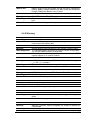
What to Do?
Press ESC to clear the message.
Message
What
Happened?
What to Do?
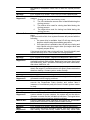
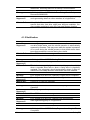
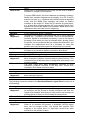
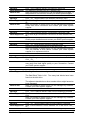
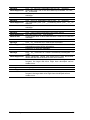
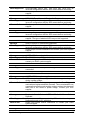
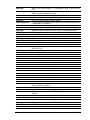
LG:X Logical Drive NOTICE: Add Drive to Logical Drive Completed
The add drive expansion process is completed.
Message
What
Happened?
What to Do?
LG:X Logical Drive NOTICE: Migrate to Logical Drive Completed
The logical drive migration process is completed.
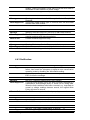
Message
What
Happened?
What to Do?
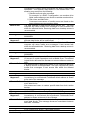
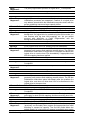
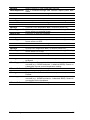
NOTICE: CHL:X ID:XXX Starting Media Scan
Media Scan is manually or automatically started by the preset Task
Schedules on a specific disk drive.
Press ESC to clear the message.
Message
What
Happened?
What to Do?
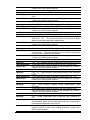
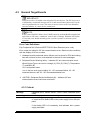
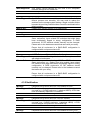
LG:X NOTICE: CHL:0 ID:132 Starting Media Scan
Media Scan is manually or automatically started by the preset Task
Schedules on a specific member drive of Logical Drive X.
Press ESC to clear the message.
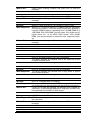
Message
What
Happened?
What to Do?
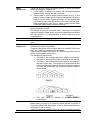
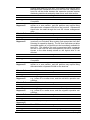
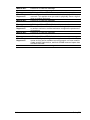
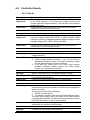
NOTICE: Media Scan of CHL:X ID:XXX Completed
Media Scan on a specific disk drive on CHLX IDXXX is completed.
Message
What
Happened?
LG:X NOTICE: Media Scan of CHL:X ID:XXX Completed
Media Scan on a specific member of Logical Drive X, on CHLX and
IDXXX is completed.
Troubleshooting
Press ESC to clear the message. Please remember to rearrange
the added capacity which will appear as a new partition volume.
Press ESC to clear the message.
Press ESC to clear the message.
21