1
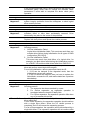
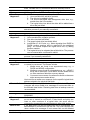
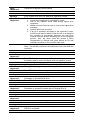
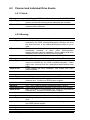
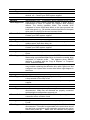
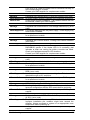
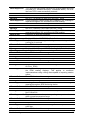
What Happened?
What to Do?
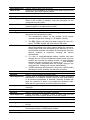
Serious system faults have occurred.
Stop host I/Os immediately to prevent further data integrity errors
and contact your RAID system supplier.
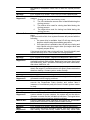
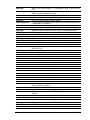
Message
What Happened?
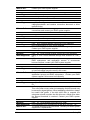
ALERT: Controller BBU Failure Detected! (error code)
BBU (battery cell pack) has failed or is accidentally removed.
When a new module is installed, reset the subsystem for the
configuration to take effect.
Check proper installation of the module or contact your RAID
system supplier for a replacement module.
What to Do?
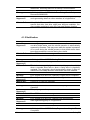
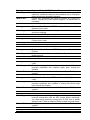
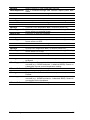
Message
What Happened?
What to Do?
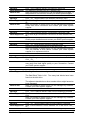
Message
What Happened?
What to Do?
Message
What Happened?
What to Do?
Message
What Happened?
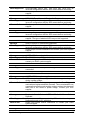
Troubleshooting
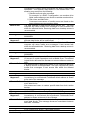
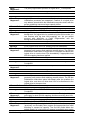
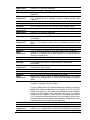
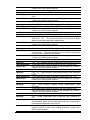
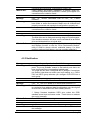
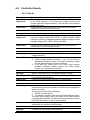
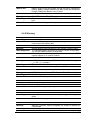
WARN: BBU Charger entered Self-protection state (error code)
The following conditions will cause the charger circuits to enter a
low-power and self-protection state:
1. The temperature sensor on the charger circuit reports
elevated temperature reading (>= 45 degree Celsius).
2. The BBU (battery cell pack) has been charged for over 14.3
hours. The BBU charger will enter a timer fault state.
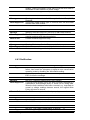
1. Check proper ventilation within the subsystem. You may also
check the readings from other sensors within the enclosure.
Airflow might have been disrupted by the absence of one or
several major modules or the failure of a cooling fan. Once the
thermal condition is improved, charging will resume
automatically.
2. If a new or totally-discharged battery module has been
charged for over 14.3 hours and this event is issued, you may
remove and re-install the battery module. An empty battery
module may take more than 14.3 hours to be fully charged.
There is a timer embedded with the charger, doing so can
reset the timer. Charging will resume automatically.
3. If a BBU has been left unused for a long time, it will be totally
discharged, and its usability may become a problem.
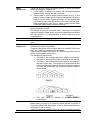
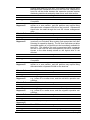
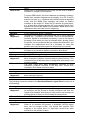
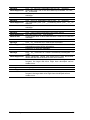
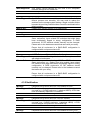
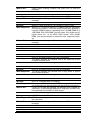
ALERT: Force Controller Shutdown Start
System start to shutdown triggered by user or other configured
event action. For example, 2 of the 3 PSUs in a 4U Galaxy failed
or an elevated temperature is detected, controller firmware will
force the controller to enter a non-responsive shutdown state.
Note that the system does not electronically shut down.
Check proper working condition and press ESC to clear the
message.
ALERT: Force Controller Shutdown Complete
System shutdown is complete. Cache is clean, and you can
manually turn off the system power or reset the system.
Press ESC to clear the message.
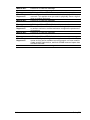
Fatal: Power exhausted while backup to EBU, cached data might
be lost
Insufficient charge in battery to supply the transmission of data
from cache memory to CBM backup module.
41