1
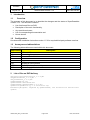
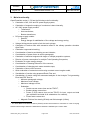
OpenPowerNet Release Notes Version 1.5.2 Institut für Bahntechnik GmbH Branch Office Dresden Document No. OPN/RN/1.5.2 l:\opn\10_documents\20_program_documentation\30_release_notes\rn_opn_01.05.02.doc Author Review Release ____________________ ____________________ ____________________ Date Date Date Martin Jacob IFB DD, RN_OPN_01.05.02.doc Harald Scheiner Page 1 of 8 Dr. Jörg von Lingen DMJ, 2014-05-08 OPN/RN/ Page 2 of 8 1 Release Notes Version 1.5.2 Issue 2014-05-08 Introduction 1.1 Overview The purpose of this document is to describe the changes and the status of OpenPowerNet version 1.5.2. The document contains: 1.2 List of delivered files on DVD, Description of the main functionality, Any restrictions known, List of corresponding documentation and Known issues. Configuration See document Installation Instruction version 1.5.2 for required third-party software versions. 1.3 Acronyms and abbreviations The following abbreviations are used within this document. Abbreviation 2AC AC ATM DC DVD GUI ODBC PSC 2 Description 2 Phase AC Alternating Current Advance Train Module Direct Current Digital Versatile Disk Graphical User Interface Open Database Connectivity Power Supply Calculation List of files on DVD delivery OPN_InstallationInstruction_1.5.2.pdf OPN_ReleaseNotes_1.5.2.pdf OPN_UserManual_1.5.2.pdf OpenPowerNet\my.ini OpenPowerNet\createUser.bat OpenPowerNet\OpenPowerNet-1.5.2.zip OpenTrack\OpenTrack.V_1.7.4.2014-02-05.zip ThirdPartyPrograms\ required by OpenPowerNet, see Installation Instructions update\ IFB DD, RN_OPN_01.05.02.doc Page 2 of 8 DMJ, 2014-05-08 OPN/RN/ Page 3 of 8 3 Release Notes Version 1.5.2 Issue 2014-05-08 Main functionality OpenPowerNet version 1.5.2 has the following main functionality: 1 Calculation of AC, 2AC and DC power supply system, Calculation of magnetic coupling of conductors is done internally, AC / 2AC power supply models: o Transformer, o Auto transformer, o Booster transformer, DC power supply models: o Rectifier, o Energy storage for stabilisation of line voltage and energy saving Voltage limiting device model to limit the touch voltage. Calculation of tractive effort with retroactive effect to the railway operation simulator OpenTrack, Calculation regenerative braking, Consideration of tractive and braking current limitation, Consideration of power factor at vehicle pantograph, Calculation of electrical engines with single or multiple propulsion systems, Division of power consumption for multiple Train Operating Companies, Evaluation of engine energy storage, Consideration of coasting behaviour of the courses, Consideration of changing train mass at station stops, Calculation of short circuit currents, Quick evaluation of network structure using constant current engine model, Visualisation of results using prepared Excel-Files and Visualisation of results using the automated analysis of the Analysis Tool generating Excel and PDF files for: o Minimum pantograph voltage, o Maximum touch voltage, o Maximum leakage current, o Substation: Feeder current versus time and as TRLPC1, Busbar voltage versus time Power (P,Q,S) versus time and as TRLPC for input, output and total (per substation and total of all substations of a network), Power factor versus time o Magnetic Field as flux density (B-field) and field strength (H-field), The Time-Rated Load Periods Curve (TRLPC) shows the maximum or minimum of a set of varying window-size averages where the window time duration is defined by the x-axis value. IFB DD, RN_OPN_01.05.02.doc Page 3 of 8 DMJ, 2014-05-08 OPN/RN/ Page 4 of 8 o o o o 4 Release Notes Version 1.5.2 Issue 2014-05-08 Conductor and connector current versus time and as TRLPC1 Voltage versus time and as TRLPC1 Energy overview Vehicle specific overview Changes since version 1.5.1 General: Check for the existence of the database at simulation start and give appropriate error message. Remove check of ATM and PSC schema version. Compare the used OpenTrack version with the OpenPowerNet compatible OpenTrack version. If the versions are different a warning is displayed in APserver. As the use of moving block is not recommended when running OpenTrack with OpenPowerNet. A course following a slow course requests alternating maximum brake effort and maximum tractive effort over time and this spoil the load flow simulation. If courses do not hinder each other the use of moving block is possible but the user needs to carefully analyse the effort requests for each course! Therefore a warning message (APS-W-005) is generated for each time alternating effort requests are detected. This may give the user a hint to look for the course following a slower course. The debug message logging is now possible to disable (default) in GUI preferences. The disabled debug message logging speeds up the simulation significant. Power supply system AC 25 kV 60 Hz and none standard power supply systems added, see User Manual chapter 6.5 on how to use. Bugfix: License was still occupied after module shut down for 3min and therefore single license was blocked to be used within this 3min. Bugfix: A modified databaseSchema value in the Project-File did not have effect for a 2nd simulation in still running modules. The workaround was to stop and restart the modules for each simulation. Database: none ATM: Remove info message of reduced auxiliary power for constant current and constant voltage engines. Remove info message from ATM of new and died course because the same message is displayed at APserver. Bugfix: In some cases the storage was not charged in recovery mode when pantograph current was small positive due to iteration inaccuracy. PSC: Rename Network options attribute from discreteTrains to discreteEngine with slightly changed behaviour. The default value of discreteEngine is true and allows not discrete (false) engines now only for DC networks as originally intended. For AC networks it's not possible to split the current between two neighbouring slices due to the unknown and different voltage/current angle at the slices. Restrict usage of transformer models to AC networks only. Bugfix: Station energy storage was sometimes not charged in case of multiple storages in one network. IFB DD, RN_OPN_01.05.02.doc Page 4 of 8 DMJ, 2014-05-08 OPN/RN/ Page 5 of 8 Release Notes Version 1.5.2 Issue 2014-05-08 Bugfix: Very seldom error message during PSC start up because of not initialised pointer. Bugfix: The dump file recording was corrupt in 1.5.1 as the time was always 0. GUI: Remove dump file upload command from menu and toolbar as dump files do not have advantage since 1.5.1 over directly recording data into the database. Upload is still available from context menu when selecting a project file. Selection Editor: File is saved when clicking "Start Analysis". Substation: Split Aggregation selection in Chart and Overview(Tables). The minimum selectable time interval should be one time step. If less the wrong configuration is highlighted in red. This applies to the times on the General page as well as for Magnetic Field. Bugfix: MagneticField: min and max of times have not been set to correct values. Excel Analysis: Add P=f(s) to Engine.xlsx, Engine2.xlsx and EngineAll.xlsx. Analysis Tool: Output for substations Complete makeover. Also removed unnecessary data columns like phase in degree to speed up output creation and columns for S and Q in overview for DC networks. Separate charts for power output and input are only created if device can recover energy to the national power grid. Chart output for power of threewinding and autotransformer (2AC system) now contains separate series for both subdevices (OCS-Rails and Rails-NF). The previously known output for power of autotransformer is now shown as "Loss". This also applies to values for autotransformer in overview table. Subdevice and busbar names in legend for threewinding and autotransformer (e.g. OCS-Rails and Rails-NF) are now created using busbar types instead of names. These can be modified in preset under strings (e.g. OCSBB, RailsBB). The item title may be modified using new placeholder %_subDeviceID% and %_busbarType%. The old placeholders are deprecated. For the booster transformer chart U,I = f(t) and TRLPC the items I_BusbarPrimary2 and I_BusbarSecondary2 were previously disabled in source code as they are usually identical to corresponding 1. Now the optional attribute "use" can be set to true if needed. The placeholders in item titles have been updated to match other output, old ones are deprecated. Using "file production mode" also for overview and aggregation now. Overview tables Title and subtitle are now created inside top left cells with left alignment. This is necessary to support more character sets. To enable the previous behaviour, set optional preset attribute "titleInHeader" under Settings/Excel to true! Wide tables, which would not fit on single page width, are now automatically scaled down. To enable previous behaviour, set optional preset attribute "fitToPagesWide" under Settings/Excel to 0. Added optional attribute "createDescriptionPage" to preset element "TableType" to disable creation of description page when not needed. IFB DD, RN_OPN_01.05.02.doc Page 5 of 8 DMJ, 2014-05-08 OPN/RN/ Page 6 of 8 Release Notes Version 1.5.2 Issue 2014-05-08 Added optional attributes "emptyValueString" and "emptyValueDescription" to preset element "TableType" which are used if a value could not be added to an overview tables due to missing data, e.g. simulation time was too short for “rms15” values. Added possibility to select the time base of the former "rms15" values. These items are now renamed to "rmsSel" (I_rmsSel and P_rmsSel). The customised time base may be set through new optional attribute "selectionValue" (in s), "title" and "description" may be adopted accordingly. Display thousands separator. For losses display only one decimal. Added horizontal and vertical border lines to visually separate the different sections. This may be disabled by setting optional attribute "borders" under element "TableType" in preset to false. Output for vehicles: Shortened item names to better fit the page. Energy ratio items are now called ξ (xi) instead of η (eta) to separate them from efficiency. Added travelling time to overview. Calculate U_mean_useful for course according to DIN EN 50388:2012-12. Particular columns may be disabled in preset using attribute "use". Output for lines Items like substation feeders, isolators and stations are not only shown for the selected tracks but for the whole selected line now. Leakage current: Now using default unit A/km, may be changed back to A/m in preset if necessary. Output for magnetic field Added grid lines to the image for better readability. These may be defined in preset under xAxis and yAxis elements using the attributes "gridMajor" and "gridMinor". In the default preset major grid is enabled and minor grid is disabled. General Excel output The sheet name is not printed to the centre footer anymore. To enable the previous behaviour, set optional preset attribute "sheetnameInFooter" under Settings/Excel to true! Draw a marker for chart series if selected time scope contains only a single timestep and no line can be drawn. Handle long sheet names (31 characters is maximum). Data sheet prefix is now D| instead of DATA_, text label prefix is now T| instead of TEXT_ to preserve some characters. Using english sheet names now because unicode is not supported by Excel. Added support for system "AC 25kV 60Hz". Additionally a system "other" may be defined in preset for any custom system. Added check for database tables with disabled keys, e.g. from an aborted simulation, they are re-enabled if necessary to speed up reading from disk. Degraded warning about increasing or reducing axis scale to info. Bugfixes Output for f(t): Axis setting could be wrong if attribute "use" of particular items was set to false in preset. IFB DD, RN_OPN_01.05.02.doc Page 6 of 8 DMJ, 2014-05-08 OPN/RN/ Page 7 of 8 Release Notes Version 1.5.2 Issue 2014-05-08 Calculation of rms values in overviews for simulations with timestep bigger than 1 s failed. Creation of device specific output for VLD failed. Creation of line connector output for network time definition and multiple selected items failed. Creation of magnetic field images for network time definition failed. Creation of magnetic field images for colourmap "hot inverse" failed. Creation of magnetic field images for H_shading = f(t) failed. Fixed warning about character set not matching preset, which always stated windows-1252. 5 Known restrictions OpenPowerNet is tested with OpenTrack version 1.7.4 (2014-02-05) and should only be used with this version. OpenPowerNet is a single user application. It is not tested to use the same database for multiple users at the same time. The Engine-File uses the RailML rollingstock schema version 1.03 with OpenPowerNet specific extensions and is therefore not 100% compatible with the mentioned version 1.03. IFB DD, RN_OPN_01.05.02.doc Page 7 of 8 DMJ, 2014-05-08 OPN/RN/ Page 8 of 8 6 Release Notes Version 1.5.2 Issue 2014-05-08 Version of corresponding documentation The following table lists the version of the documents related to OpenPowerNet 1.5.2. Document Installation Instruction User Manual 7 Version 1.5.2 1.5.2 Known issues The following table contains all known but unsolved issues. ID Summary When using larger time steps other than 1s, OpenTrack sends the requests not for all courses in the same time raster but OpenPowerNet is designed to calculate always in the same time raster. Workaround 1: Use always 1s simulation time steps. 371 Workaround 2: Set all times within OpenTrack in the raster according to the selected simulation time step, e.g. for 3s time step only time hh:mm:00, hh:mm:03, hh:mm:06 ….. The simulation will be terminated by OpenPowerNet in case of OpenTrack requests outside of the time raster. The information of split, merged and connected courses is not available in OpenPowerNet. Therefore the engine energy storage of 458 an engine will be reset to the initial values even if the new course is connected with the previous course and the two courses represent the same physical train. Creation of magnetic field image needs the desired character set to 582 be used for output set as system locale as Matlab plot functions do not handle unicode characters. IFB DD, RN_OPN_01.05.02.doc Page 8 of 8 Status Can’t be solved. Open Open DMJ, 2014-05-08