1
i-CAT FLX Technical Guide
•
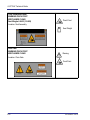
Viewing the laser output with certain optical instruments (for example, eye lopes,
magnifiers and microscopes) within a distance of 100 mm may pose an eye hazard.
Viewing the laser output with certain optical instruments designed for use at a
distance (for example, telescopes and Binoculars) may pose an eye hazard.
•
Always follow the manufacturer’s instructions for proper use and cleaning of the
scanner to prevent cross contamination among patients.
•
Do not allow liquids in the vicinity of the scanner.
•
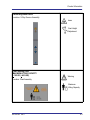
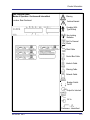
Closing the gate creates a pinch point. Keep hands and other body parts clear when
closing gate.
•
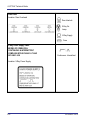
To avoid the risk of electric shock, this equipment must only be connected to a
supply mains with protective earth.
•
In the event of an electrical fire, only use extinguishers that are labelled for that
purpose. Using water or other liquids on an electrical fire can lead to fatal or serious
personal injury.
•
In the event of an electrical fire, to reduce the risk of electrical shock, try to isolate
the equipment from the electric source before attempting to extinguish the fire.
•
Equipment not suitable for use in the presence of a flammable anaesthetic mixture
with air or with nitrous or oxygen enriched atmospheres.
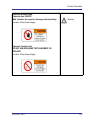
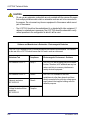
CAUTION
Failure to follow instructions below may result in minor or moderate bodily injury or
damage to the device.
A-2
•
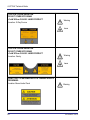
If the optional deadman handswitch is installed on the scanner, press and hold
handswitch before pressing the Scan button, and continue to hold handswitch down
for the duration of the exposure (X-ray light on). Early release of the handswitch
stops the exposure and the Fault light turns on. The patient will have to be rescanned.
•
If the scanner or the scanner controller is powered off, at scanner power up or
scanner controller boot up, when the first scan is initiated (scout or full scan), the
i-CAT FLX performs a reset procedure that may delay the start of first scan.
032-0328-EN Rev E