1
405-00011-00
iLabel User’s Manual
Network Commands
You can issue commands to the Appliance over the TCP/IP network, to select or change the running Solution, or temporarily change the trigger mode. A Solution must be running.
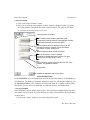
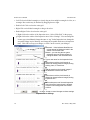
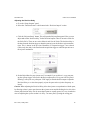
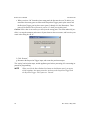
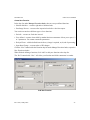
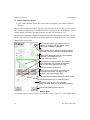
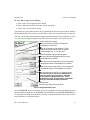
a. Open a new HyperTerminal session, enter your area code, and click “OK”.
b. In “Connection Description” enter a name for the session, for example, “iLabelCMD”.
c. In “Connect To” enter the IP Address of the Appliance in the “Host Address” and enter the
port number 5021. Select “TCP/IP(Winsock)” for the “Connect using”.
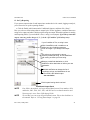
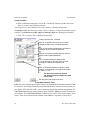
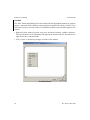
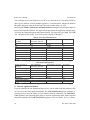
d. Type “help” (followed by Enter or Return) to display a list of the available commands.
Supported Commands
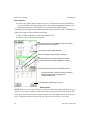
ss ##
change the running Solution ID. The new solution must already be stored on the appliance. The
running Solution will not change if the new ID is not a valid Solution. The displayed ID number
changes in the Monitor panel, and other panels, but does not change on the Monitor Window
(opened from the Appliance home page), until youclose and reopen the Monitor Window.
ns
get the number of solutions.
sl
get a list of the solution ID numbers in use (separated by commas).
sdl
get a list of descriptions for Solutions (separated by commas).
sd ##
get a description for the Solution ID number given.
tm #
changes the trigger mode. This is a manual or temporary change. The saved Solution setting is
not changed, and if you navigate to the Sensor page, the trigger setting will revert to the original
Solution’s setting. tm 2 = Internal Timer, tm 3 = External Sensor Trigger, tm 4 = Software
Trigger. Note: In Software trigger mode, the Appliance frame grabber responds to both the
external trigger and software trigger. If you do not have an external trigger, the acquisition will
wait for your software trigger. If there is an external trigger present, the acquisition will respond
to the trigger, and not wait for your software trigger.
gen
generate a software trigger. This is used after setting the temporary trigger mode to tm 4.
eval “statement” evaluate a statement once. This can change values of arguments defined in the
Equation Assignments panel, or create new arguments.
Format [ON|OFF] enable or disable pre-formatted output on port 5022. A Solution must be running.
start
start or restart the inspection.
stop
stop or halt inspecting.
reset # reset the production line with a specific number of parts between the two sensors.
reset Statistics reset the counters for Pass/Recycle/Reject.
Rev 1450; 3 May 2007
41