1
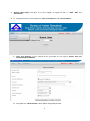
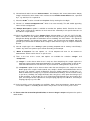
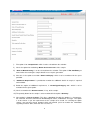
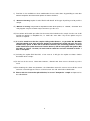
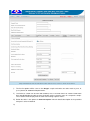
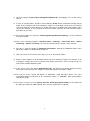
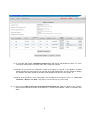
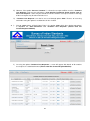
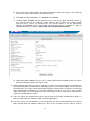
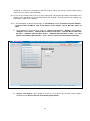
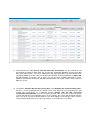
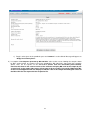
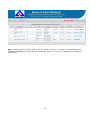
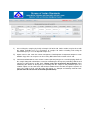
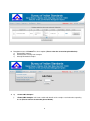
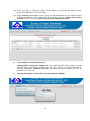
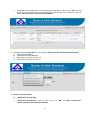
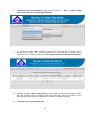
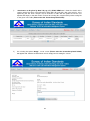
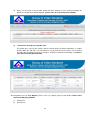
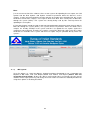
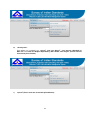
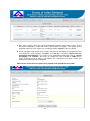
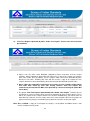
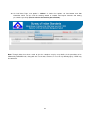
ANNEX 1 PROCEDURE FOR USE OF BIS LAB INFORMATION MANAGEMENT SYSTEM (LIMS) BY BOs This is in continuation to the earlier version of the BIS Lab Software which was made functional w.e.f. 01.11.2014 for use by BOs and BIS Laboratories. Several modifications have been made and additional features have been added in the software after getting feedbacks from users to make the system more user-friendly and easy to operate. To mention specifically, some of the salient features of this software are mentioned a sunder: Provision has been made for uploading of test report by BIS Labs and Outside Labs directly, against the samples received and tested by them. Hence, labs need not to enter the details of the sample, separately, while uploading the test reports. Also, provision has been made to mark the BO code of the sample on the test report, automatically by the system. Therefore, labs need not manually link the sample code to the original BO code before uploading the test reports to BOs and the respective sample codes (both BO Code & Code Given By Lab) would be marked on the first page of the test report at the time of downloading the test reports by BOs. Provision has also been made to mark the Licensee / Applicant No., to whom the sample belongs, on the test report along with BO code, at the time of downloading the test reports by BOs. BOs can find out the total number of samples sent to any lab for a given period of time. Provision has also been made in the system to know „Types‟ of samples (FS, MS, AS, VS etc) dawn for a given period of time. System is also entrusted with the facility to split the samples by Sample Cell, if the need arises to make the samples in parts and send it to different testing sections/labs. In the current version of the software, outside labs have also been given access to receive the online test requests, uploading the test reports directly against the received test requests/samples and to perform other functions alike BIS labs. For generation of test requests, provision has been added to sort the licensee/applicant name by selecting IS No. and Licensee/Applicant No. Efforts have also been made to incorporate the provisions minimizing difficulties being faced by IOs/BOs using the software. Feature of mandatory requirement of „Date of manufacture‟ for generation of test request has been removed. In this improved version, BOs can view all the test requests generated at any point of time and also take printout of test requests. Further, till the time system progresses to link CMMS with BIS Lab Software, facility has been made to sort and count the particular type of sample (MS, FS, VS, AS, IN, CS etc.) drawn by the IOs/BOs at any point of time. Further, as decided by Competent Authority, functionality of „Sample Room‟ has been removed from BIS LIMS. Hence, „Sample Rooms‟ shall just function as holding place for samples under control of respective BOs and there shall be no link between sample Room and BIS Labs. The detail, step by step process of using this version of “BIS Lab Information Management System” by BOs is described as under: PROCEDURE OF ACCESSING THE SOFTWARE 1. The same webpage is to be accessed which is being used for downloading the test reports by BOs and uploading the test reports by BIS Labs / OSLs. The URL of webpage is as under: http://59.177.180.144:8080/TRU/ 2. Main page of „Lab Information Management System‟ will open. Login to the BO home page using „User Name‟ and „Password‟ already given to the respective BOs. 1