1
11 ページ
2003年12月24日 水曜日 午前9時36分
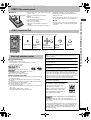
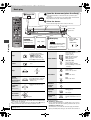
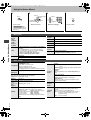
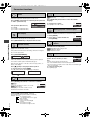
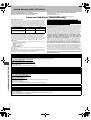
∫ Audio Menu
Dolby Pro
Logic II
Advanced
Surround
Dialogue
Enhancer
Multi Remaster
Attenuator
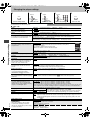
∫ Display Menu
(➜ page 7)
Information
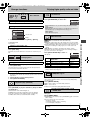
[RAM] [DVD-V] [VCD] (2 or more channels)
SP (Speaker) 1 Natural
SP 2 Enhanced
HP (Headphone) 1 Natural HP 2 Enhanced Off
≥ When using discs recorded with surround sound, sound
seems to come from speakers on either side of you.
≥ When using headphones from the connected
equipment, select “HP 1” or “HP 2”
≥ Optimum seating position is 3 to 4 times the distance
between the front left and right speakers or the width of
the television if using the televisions speakers.
≥ Do not use in combination with surround effects on
other equipment.
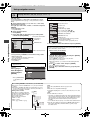
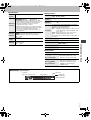
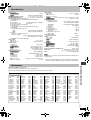
Subtitle
Position
0 to s60 (in 2 units)
Subtitle
Brightness
Auto, 0 to s7
4:3 Aspect
To make the dialogue in movies easier to hear
[DVD-V] (Dolby Digital, DTS, MPEG, 3-channel or over,
with the dialogue recorded in the center channel)
On ,------. Off
(➜ page 7)
Switch on if sound is distorted. (For 2 ch or 5.1 ch AUDIO
OUT connections)
On ,------. Off
On ,------. Off
([JPEG] : Off, Date, Details)
To select how to show images made for 4:3 aspect
screens on a 16:9 aspect television.
Normal: Laterally stretches images.
Auto:
Expands 4:3 letterbox images to fill more of the
screen. Other images appear in full in the center
of the screen.
Shrink: Images appear in the center of the screen.
Zoom: Expands all images to fill the screen.
If your television has a similar feature, use it instead for a
better effect.
Just Fit Zoom
(➜ page 14)
Manual Zoom
(➜ page 14)
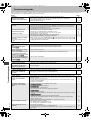
Bitrate Display
]RAM\ [DVD-V] [VCD]
On ,------. Off
GUI See-through
On ,------. Off
GUI Brightness
s3 to r3
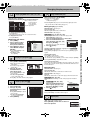
∫ Other Menu
Sleep
(➜ page 14)
Play as DVD-Video
or
Play as DVD-Audio
While stopped
≥ Select “Play as DVD-Video” to play
DVD-Video contents on DVD-Audio.
Play as DVD-VR
Play as HighMAT
or
Play as Data Disc
While stopped
≥ Select “Play as Data Disc” to play
JPEG files on DVD-RAM or to play
HighMAT disc without using the
HighMAT function.
Using On-Screen Menus
7292En.fm
]DVD-F87/DVD-F86]
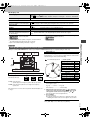
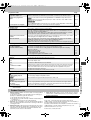
∫ Elapsed play time indicator
Condition–
play, pause or slow/search
Current position
Play mode
: Normal Play
PGM: Program Play
RND: Random Play
Elapsed play time
RQT7292
Current playback item
11