1
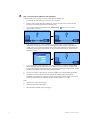
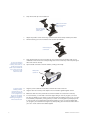
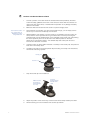
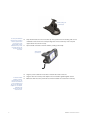
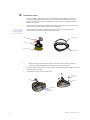
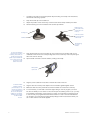
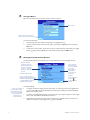
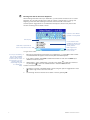
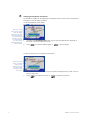
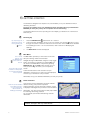
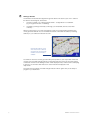
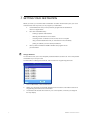
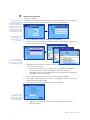
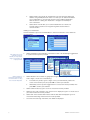
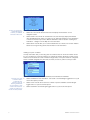
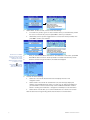
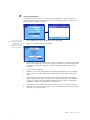
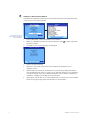
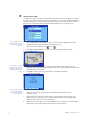
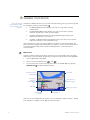
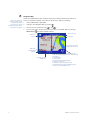
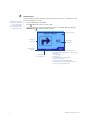
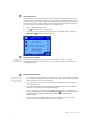
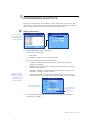
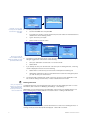
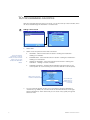
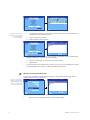
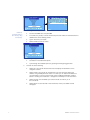
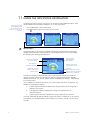
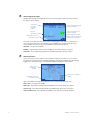
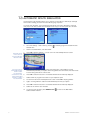
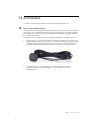
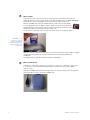
7 The ball foot should now be securely fixed. Slip the locking nut loosely over the ball foot, with the flat side facing upwards. 8 Snap the socket clip onto the ball foot. 9 Adjust the position of the socket clip, so that the unit will be clearly visible by the driver. 10 Wind the locking nut onto the thread of the socket clip until firm. Make sure the short side of the socket clip is on the top Locking nut Push the socket clip onto the ball until it clicks Ball foot Wind locking nut onto thread To unclip the iCN 630 unit from the mounting bracket, press down on the back of the upper plastic clip to release the top of the unit, then lift the unit out of the bottom two slots. 11 Snap the iCN 630 unit onto the socket clip. First, position the two locating tabs on the underside of the unit into the corresponding slots on the socket clip. Then snap the upper side of the unit into the clip. 12 Flip the aerial outwards so that the aerial is pointing horizontally. Aerial points up and out In vehicles where auxiliary power is permanently on, the unit can be switched on and programmed as soon as the power adaptor is connected. Switching the engine on will not reset the unit. 24 13 Plug the power cable into the socket on the left hand side of the unit. 14 Plug the other end of the power adaptor into the vehicles cigarette lighter socket. 15 Make sure that the unit is positioned such that the aerial has a clear view of the sky. 16 In most vehicles, you will need to have the engine idling in order to program your route into the unit. While you can switch on the unit with just the auxiliary power on (i.e. your key in the Auxiliary ON position), turning the key to switch on the engine may interrupt power to the unit and your programmed route will be saved for re-use. It is recommended that you program your route with the engine already idling but with the automatic shift of your car in 'Park' and the hand brake applied. NAVMAN iCN 630 user manual-ver 0.3