1
Routine Operation
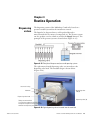
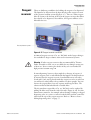
Running a protocol
Running a
protocol
Note that multistep protocols, that is, protocols with several steps
(e.g. Dispense, Shake, Empty, etc.), can be run with FILLit Software for
Multidrop Combi nL. You can also download protocols with one
dispense step and an additional shake step to the instrument. For more
information, refer to the FILLit Software for Multidrop Combi nL User
Manual (Cat. no. N07173).
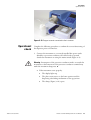
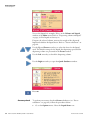
To run a dispensing protocol, follow the steps below.
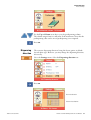
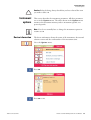
Note Do not dispense extensively without any liquid to avoid
overheating of the pump.
Thermo Fisher Scientific
●
Check that there is always enough liquid in the reagent reservoir
and ensure that the reagent filter is below the liquid level. Use a test
tube placed inside the reagent reservoir if a limited amount of liquid
is available.
●
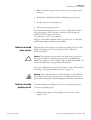
Check after each dispensing that the priming vessel is not filled up
if the tube drain is not used. ▲
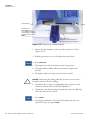
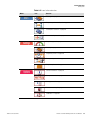
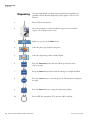
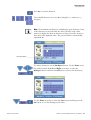
1.
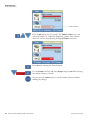
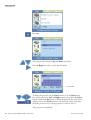
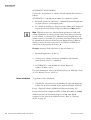
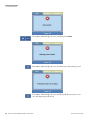
Make sure you are in the Main menu.
2.
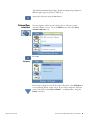
Select the plate type.
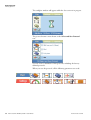
3.
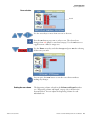
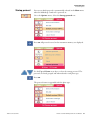
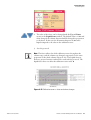
Select the dispensing protocol from the
protocol list. Only protocols for the selected
plate type are shown.
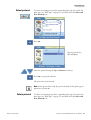
4.
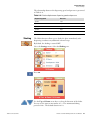
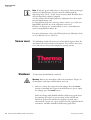
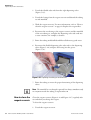
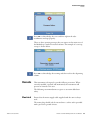
Press the PRESSURE button and wait till the
pressure has risen. Only required at startup!
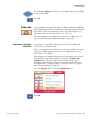
5.
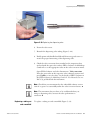
Keep the PRIME button down until the
tubings are completely filled.
6.
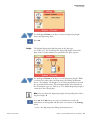
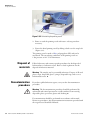
Press the START button to start the protocol.
Thermo Scientific Multidrop Combi nL User Manual
53