1
Maintenance
Regular and preventive maintenance
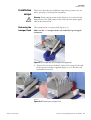
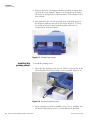
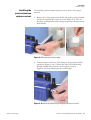
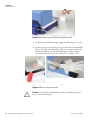
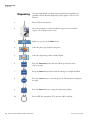
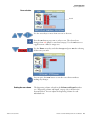
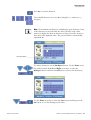
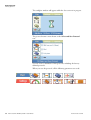
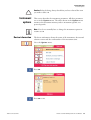
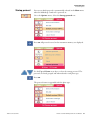
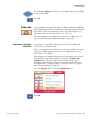
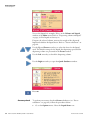
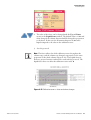
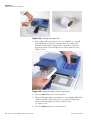
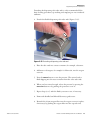
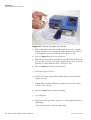
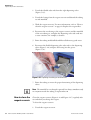
Figure 5–30. Replacing the dispensing valve
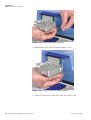
6. Fasten the valve screw.
7. Reattach the dispensing valve tubing (Figure 5–26).
8. Finally prime with distilled and filtered laboratory-grade water to
ensure the proper functioning of the dispensing valve.
9. Check the valve correction factor marked on the inspection sheet
enclosed with the spare valve and use FILLit Software for Multidrop
Combi nL to set the appropriate value in the valve correction menu.
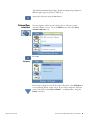
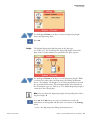
Open FILLit Software and select Instrument > Valve correction.
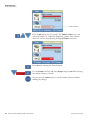
Enter the given value in the respective valve (channel) position and
press Update to save the value. See the details of FILLit Software in
the FILLit Software for Multidrop Combi nL User Manual (Cat. no.
N07173) provided with the instrument.
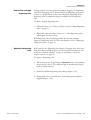
Note Check that your instrument has the embedded software version
1.00.41 or greater to successfully utilize the valve correction factors. ▲
Note The instrument does not have to be recalibrated when you
change a dispensing valve, because the valve performance is
consistent. ▲
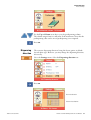
Replacing a tubing set
and a manifold
Thermo Fisher Scientific
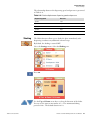
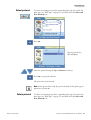
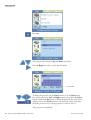
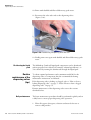
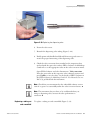
To replace a tubing set and a manifold (Figure 5–31):
Thermo Scientific Multidrop Combi nL User Manual
81