1
MA1056 MAQ20 PID Controller User Manual
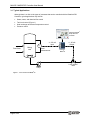
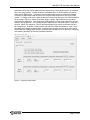
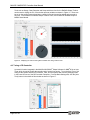
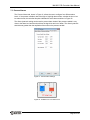
Tools such as Gauge, Chart Recorder and Scope which are found in the ReDAQ® Shape Toolbox
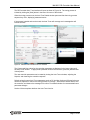
can be used to display the PV, CO and other process variables as shown in Figure 16. These can
be put on the project Present panel when a project is first built as well as added and removed at
any time. For full details on ReDAQ® Shape Toolbox Tools, refer to MA1038 ReDAQ Shape for
MAQ20 User Manual.
Figure 16: Displaying PV and CO During PID Controller Run Using Toolbox Tools
4.8 Tuning a PID Controller
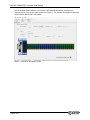
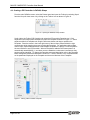
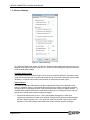
A powerful function integrated in the MAQ20-940 ReDAQ® Shape Software for MAQ®20 is an AutoTuner which is used to simplify the complex task of control loop tuning. To run the Auto-Tuner, first
configure the system and the PID Controller. Next, Run the system and click the [Settings] button
in the lower left corner of the PID Controller Faceplate. From the Basic Settings tab, click the [Auto
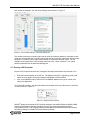
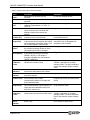
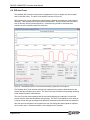
Tune] button in the middle of this window as shown in Figure 17.
Figure 17: Starting Auto Tune
Page 16 of 43