1
T-FLEX Analysis User Manual
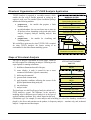
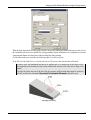
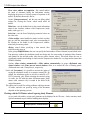
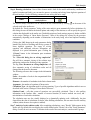
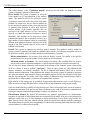
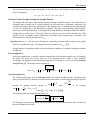
In the thermal analysis, controls «Initial temperature|Use
preset temperature» allow the user to define as an initial
temperature:
• initial temperature prescribed with the help of the
command «Analysis|Thermal Load|Temperature»;
• the default value of temperature at those finite
element nodes where the initial temperature was not
defined by the user.
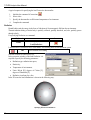
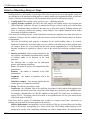
The «Use heat-task results» control allows defining the
initial temperature by the results of an earlier conducted
thermal analysis. This dialog item becomes accessible to
the user, if there are earlier conducted thermal studies
present in the model. In the drop-down list select the name
of a solved thermal analysis study and, if necessary, the
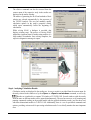
time instant, to which the solution pertains. Please note
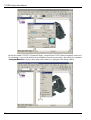
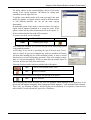
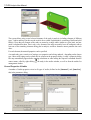
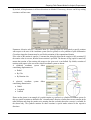
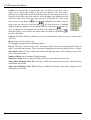
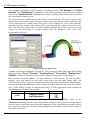
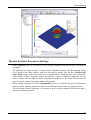
«Parameters» tab of the thermal analysis study
that certain conditions are to be met for using thermal
parameters window
analysis results as the initial temperature conditions:
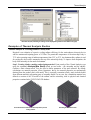
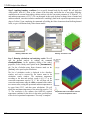
1. Identity condition of finite element meshes in both thermal analyses. The simplest way of achieving such
identity is the use of the "Copy" command available in the context menu. The sequence of steps can be,
for example, as follows:
a) create a study of the "Thermal Analysis" type, generate a mesh, define boundary conditions, and run.
We assume that the solved temperatures will be used for defining initial temperatures in another
study of the transient thermal analysis;
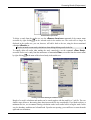
b) create a study's copy using the «Copy» command;
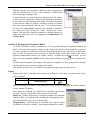
c) define boundary conditions of a transient study in thermal analysis. On the «Parameters» tab of the
study's properties, select the name of the first study and, if that's a transient analysis, the desired time
step.
As a result, we have two studies of different types, but with identical finite element meshes.
2. The "Calculate using linear element" property on the "Solve" tab of the study parameters dialog should
use the same settings in both studies. For example, if the first thermal analysis is done by linear
elements, then the second thermal analysis based on the former thermal analysis results can also be run
only by linear elements.
Note also that solving a transient heat transfer study requires more CPU time as compared to the steady state
heat transfer, since in the former case the systems of algebraic equations are solved at each time step defined
by the user.
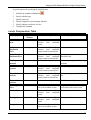
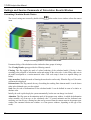
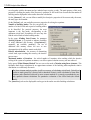
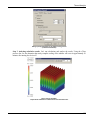
The [Results] tab allows defining the result types displayable in the studies tree after finishing
calculations.
110