1
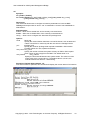
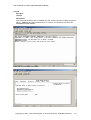
User’s Manual for OSA System Management Bridge Introduction The OSA System Management Bridge (SMBridge) is a console application for remote server management. It allows cost effective administration of servers using IPMI 1.5 protocol and the Serial Over LAN (SOL) protocol. SMBridge provides server control and management ability via two distinct modes of operation, a “Command Line Interface” mode (CLI) and an “Interactive Server” mode (Server). CLI Mode In CLI mode, OSA SMBridge supports out-of-band (OOB) access (through LAN or serial port) to a remote server. It enables OSA SMBridge users to execute IPMI control commands in a native command line to manage the remote server. OSA SMBridge allows an administrator with user-level privilege to a remote BMC to: • Display the current power status • Display the 16-byte system GUID of the managed server • Display all field replaceable units (FRU) present in the system • Display the BMC firmware information • Display summary information about the event log • Display the logged events, one event per line An administrator, with operator-level privilege to a remote BMC, can additionally: • Power on/off, or cycle a server • Initiate a hard power off or graceful shutdown of the system1. • Delete the system event log • Turn on/off the blinking system identifier • Set a timestamp for the event log Server Mode In Server Mode, OSA SMBridge allows a local or remote telnet client to connect with a Remote BMC to realize power and system management, or communicate with the hardware designated serial port. Server mode is available when SMBridge is started as a background service or daemon. Then administrator can access SMBridge remotely via a telnet client. Any standard telnet client application, such as HyperTerminal on Microsoft Windows or telnet on Linux, can be used to access the server’s features. The SOL protocol coupled with the remote system’s BIOS console redirection allows administrators to view and change the BIOS settings over LAN. Linux serial console and Microsoft’s EMS/SAC interfaces can also be accessed over LAN using SOL. Target Audiences The target audiences for this manual are Linux or MS windows system administrators who need access to the system console in early stages of the boot cycle or for pre-boot configuration. Administrators can also use these tools to monitor the proper operation of the system hardware and operating system. 1 Graceful shutdown is an optional IPMI command and may or may not be implemented by the target BMC. Initiating a graceful shutdown for a platform that does not support the feature should return an error code. Copyright (c) 2004 - OSA Technologies, an Avocent Company. All Rights Reserved. 3