1
39
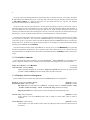
Auto Fill Linefeed (bound to Linefeed in Fill mode)
[Command]
Auto Fill Return (bound to Return in Fill mode)
[Command]
Auto Fill Linefeed fills the current line if it needs it and then goes to a new line and inserts the fill prefix.
Auto Fill Return is similar, but does not insert the fill prefix on the new line.
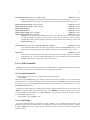
Auto Fill Space (bound to Space in Fill mode)
[Command]
If no prefix argument is supplied, this command inserts a space and fills the current line if it extends past
the fill column. If the argument is zero, then it fills the line if needed, but does not insert a space. If the
argument is positive, then that many spaces are inserted without filling.
Auto Fill Space Indent (initial value nil)
[Hemlock Variable]
This variable determines how lines are broken by the auto fill commands. If it is true, new lines are
created using the Indent New Comment Line command, otherwise the New Line command is used.
Language modes should define this variable to be true so that auto fill mode can be used on code.
4.4. Scribe Mode
Scribe mode provides a number of facilities useful for editing Scribe documents.
parameterizable to be adapted to other similar syntaxes.
It is also sufficiently
Scribe Mode
[Command]
This command puts the current buffer in Scribe mode. Except for special Scribe commands, the only
difference between Scribe mode and Text mode is that the rules for determining paragraph breaks are
different. In Scribe mode, paragraphs delimited by Scribe commands are normally placed on their own
line, in addition to the normal paragraph breaks. The main reason for doing this is that it prevents
Fill Paragraph from mashing these commands into the body of a paragraph.
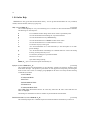
Insert Scribe Directive (C-h in Scribe mode)
[Command]
This command prompts for a key-event to determine which Scribe directive to insert. Directives are
inserted differently depending on their kind:
environment
The current or next paragraph is enclosed in a begin-end pair: @begin[directive]
paragraph @end[directive]. If the current region is active, then this command
encloses the region instead of the paragraph it would otherwise chose.
command
The previous word is enclosed by @directive[word]. If the previous word is already
enclosed by a use of the same command, then the beginning of the command is
extended backward by one word.
Typing Home or C-_ to this command’s prompt will display a list of all the defined key-events on which
it dispatches.
Add Scribe Directive
[Command]
This command adds to the database of directives recognized by the Insert Scribe Directive command. It
prompts for the directive’s name, the kind of directive (environment or command) and the key-event on
which to dispatch.
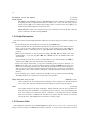
Add Scribe Paragraph Delimiter
[Command]
List Scribe Paragraph Delimiters
[Command]
Add Scribe Paragraph Delimiter prompts for a string to add to the list of formatting commands that
delimit paragraphs in Scribe mode. If the user supplies a prefix argument, then this command removes