1
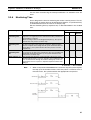
Section 3-5
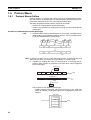
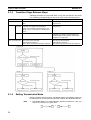
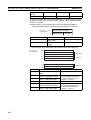
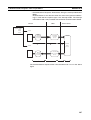
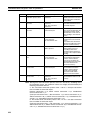
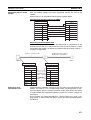
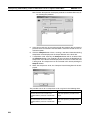
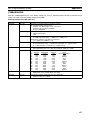
Creating Matrices
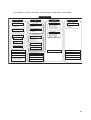
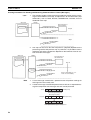
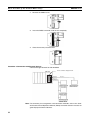
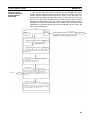
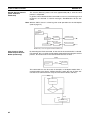
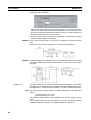
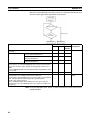
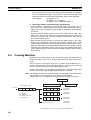
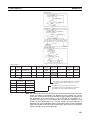
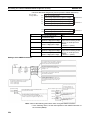
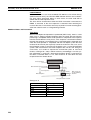
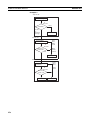
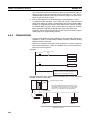
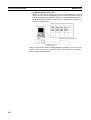
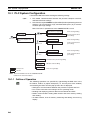
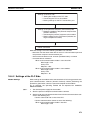
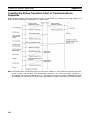
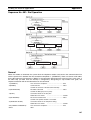
Step No. 00
Send "ENQ"
Send&Receive
Error
Receive
"ACK"
Next
Step No. 01
Send message
Send wait: 1
Send&Receive
Matrix
Receive "Other"
Receive "ACK" Receive "NAK"
Abort
Step No. 02 Goto
Send "EOT"
Send
Normal
completion
No
Yes
End
Abort
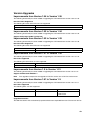
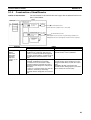
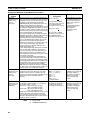
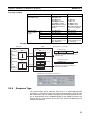
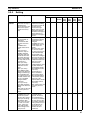
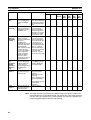
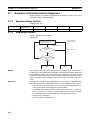
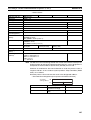
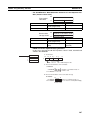
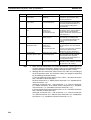
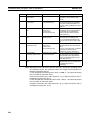
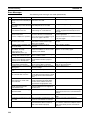
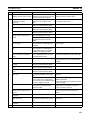
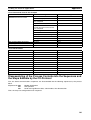
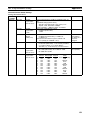
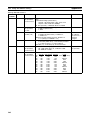
Step structure
Step No.
Repeat
counter
00
R/001
01
02
Command
Retry
Send
wait
Send
message
Receive
message
Response
type
Next
process
Error
process
Send&Receive
---
---
"ENQ"
"ACK"
---
Next
Goto 00
R/001
Send&Receive
---
1s
Message
Matrix
---
---
Goto 00
R/001
Send&Receive
---
---
"EOT"
---
---
End
Abort
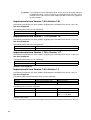
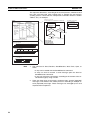
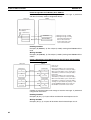
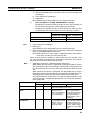
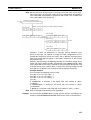
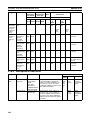
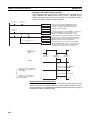
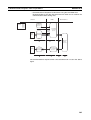
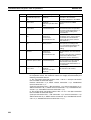
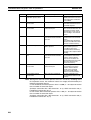
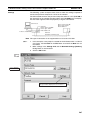
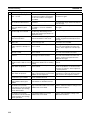
Matrix
Case No.
Receive
message
Next
process
00
"ACK"
Goto02
01
"NAK"
Goto01
~
---
---
15
Other
Abort
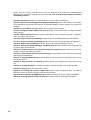
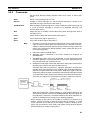
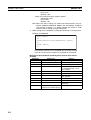
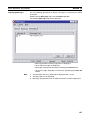
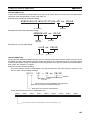
Set next processes (End, Next, Goto**, or Abort)
for each one of the up to 15 types of receive
message.
For "Other" case, set the next process to be
executed when the message that was received is
not equal to any of the expected messages.
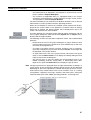
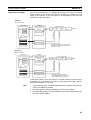
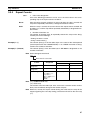
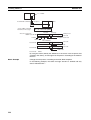
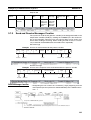
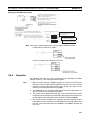
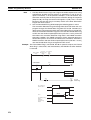
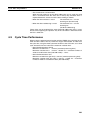
Note Set same header and same terminator for all the receive messages set by the
matrix. If headers or terminators are different by case number, the system
shall make a comparison for the received message based on the header and
the terminator (or the data length, if the terminator is unavailable) of a
received message set as case number 00. For example, therefore, if the
header of case number 00 is “@” and the header of case number 01 is
[02](STX), the system identifies that the comparison results in the unmatched
even if the header of actually received message is [02], because it is different
from the header “@” of case number 00
115