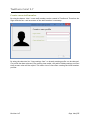
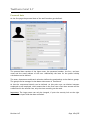
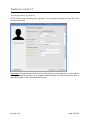
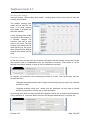
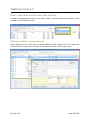
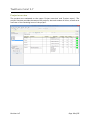
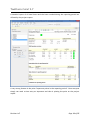
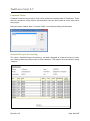
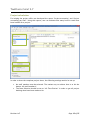
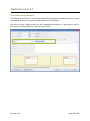
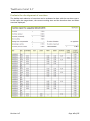
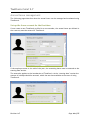
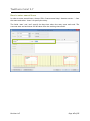
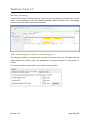
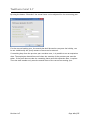
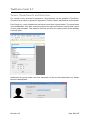
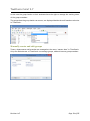
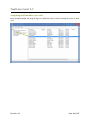
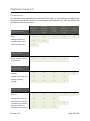
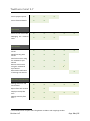
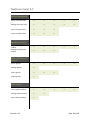
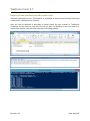
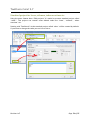
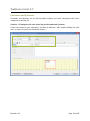
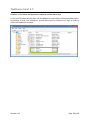
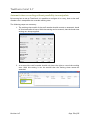
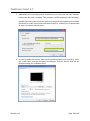
1
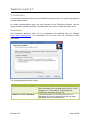
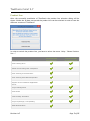
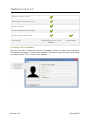
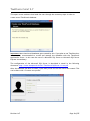
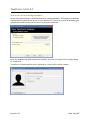
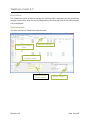
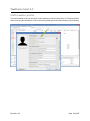
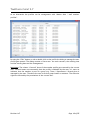
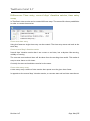
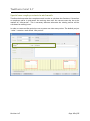
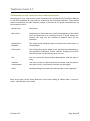
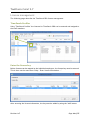
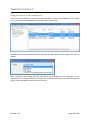
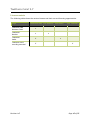
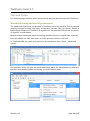
TimePunch TimePunch Client 2.7 User Manual 06.04.2015 TimePunch KG, Wormser Str. 37, 68642 Bürstadt Document Information: Document-Name User Manual, TimePunch Client 2.7 Revision-Number 146 Saved at 06.04.2015 Number of Pages 75 Publisher: TimePunch KG Wormser Str. 37 68642 Bürstadt 06.04.2015 TimePunch KG, Wormser Str. 37, 68642 Bürstadt TIMEPUNCH CLIENT 2.7 Table of contents Introduction ..............................................................................................6 Installation .............................................................................................6 Product line ............................................................................................7 Creating a new database.............................................................................8 Make use of an existing database ................................................................. 10 Overview ................................................................................................ 11 User Interface ....................................................................................... 11 Staff member profile .................................................................................. 12 Create a new staff member ....................................................................... 14 Personal data ........................................................................................ 15 Working time regulation ........................................................................... 16 Working time models ............................................................................ 17 Flexi time account ............................................................................... 17 Paid leave calculation ........................................................................... 18 Starting data ......................................................................................... 18 Management ......................................................................................... 19 Authorization ..................................................................................... 19 Licensing ........................................................................................... 19 Security Setting ................................................................................... 19 The working time model in detail ................................................................ 20 Import and export staff member profiles ....................................................... 20 Employee Monthly Report.......................................................................... 21 Employee overview and displaying the current working time models ...................... 22 Enter new time-entries and edit existing .......................................................... 23 Edit time-entries / create new one .............................................................. 23 Differences: Time entry, several days’ duration entries, time entry array ................ 24 Create new time entry .......................................................................... 24 Create several days’ duration entries ......................................................... 24 Create time entry array ......................................................................... 24 Special case: employee starts in mid-month.................................................... 25 Additional special-cases that need manual entries ............................................ 26 Time sheets .......................................................................................... 28 Revision 147 Page 3 of 75 TIMEPUNCH CLIENT 2.7 Projects and tasks ..................................................................................... 29 Creating projects and edit ......................................................................... 29 Access rights and user specific adjustments .................................................... 30 Project Budgets ..................................................................................... 31 Project pool ....................................................................................... 31 Staff members .................................................................................... 31 Total budget ...................................................................................... 31 Staff member ..................................................................................... 31 Project pool ....................................................................................... 31 Project overview .................................................................................... 32 Common Tasks ....................................................................................... 34 Detailed Project Accounting ...................................................................... 34 Project calculation ................................................................................. 35 Customer management ............................................................................... 36 Import and export customer data ................................................................ 36 Manually create and edit customer data ........................................................ 37 Assign time entries to a customer ................................................................ 38 Assign a customer when editing a time entry ................................................ 38 Assign a customer to multiple time entries .................................................. 38 Directly assign a customer to a project ....................................................... 39 Flexi time calculation ................................................................................. 40 Showing the current month data ................................................................. 40 Analyzing the overtime in the current month .................................................. 40 Manage the flexi time account .................................................................... 41 Overtime compensation with the working time contract .................................. 41 Overtime limitation .............................................................................. 42 Overtime gets paid automatically ............................................................. 43 Pay-out overtime once and manually ......................................................... 43 Overtime compensation ............................................................................ 44 Evaluate the development of overtime .......................................................... 45 Annual leave management ........................................................................... 46 Set-up the leave account for the first time ..................................................... 46 How to enter annual leave ........................................................................ 47 Holiday planning .................................................................................... 48 Take remaining leave into the upcoming year .................................................. 48 Revision 147 Page 4 of 75 TIMEPUNCH CLIENT 2.7 Teams, Departments and Branches ................................................................. 50 Manually create and edit groups .................................................................. 51 Import and export group assignments ........................................................... 53 Assign staff member profiles directly to a group ............................................... 53 Reporting ............................................................................................... 54 Menu „Reports“, Reporting Options .............................................................. 54 Report export........................................................................................ 54 Permission management .............................................................................. 55 TimePunch Profiles ................................................................................. 55 Assigning staff members to a role ................................................................ 56 Permissions .......................................................................................... 57 Amending employee profiles in TimePunch Profiles ........................................... 61 Amending the recording settings ................................................................. 62 Quitting of employees .............................................................................. 63 License management .................................................................................. 64 TimePunch Profiles ................................................................................. 64 Enter the license key ............................................................................... 64 Assign licenses to the employees ................................................................. 65 Types of licenses in TimePunch ................................................................... 66 TimePunch PRO ................................................................................... 66 PZE Watcher ...................................................................................... 66 PZE Studio ......................................................................................... 66 PZE Terminal ...................................................................................... 66 License matrix ....................................................................................... 67 Tips and Tricks ......................................................................................... 68 Month end closing and overall performance .................................................... 68 Import of time entries from Microsoft Excel .................................................... 69 Standard project for leave, sickness, taken overtime etc. ................................... 70 Christmas and Sylvester ............................................................................ 71 Automatic time-recording without possibility to manipulate ................................ 73 Revision 147 Page 5 of 75 TIMEPUNCH CLIENT 2.7 Introduction This document describes the use of the TimePunch Windows client, the profile management and the holiday editor. As further documentations there are user manuals of the TimePunch Watcher and the synchronization assistant available. Therefore this parts won’t be described here at all. Installation The TimePunch Windows Client can be downloaded and installed from our Website http://www.timepunch.de. The installation will be done with our TimePunch Setup executable. The following options can be chosen: Option TimePunch Watcher Installation TimePunch Studio Installation Revision 147 Beschreibung Der TimePunch Watcher is used for the automatic time recording of the working time at the PC of the employee. It’s most useful, if the people are working the most time at their PC. TimePunch Studio is a software that runs at a standalone PC and can be used to track the logon and logoff times for multiple users. Page 6 of 75 TIMEPUNCH CLIENT 2.7 Product line After the successful installation of TimePunch the product line selection dialog will be shown. Within the 30 days test period the product line can be switched in order to test the different versions of TimePunch. In order to switch the product line, you have to select the menu “Help / Choose Productline …” TimePunch PRO for enterprises TimePunch ONE for self-employed Time-tracking at PC Mobile time-tracking with smartphone Time-Tracking at a terminal PC Time-Tracking with RFID transponder Support of the TimePunch Application Server Project management Time sheets Public holiday calculation Project reportings / Cost splitting Staff administration Revision 147 Page 7 of 75 TIMEPUNCH CLIENT 2.7 Employee monthly reports Working time models / flexi time accounts Vacation planning Teams / Departments / Branches Export reports to Excel or PDF Data storage Microsoft SQL Server / Local Local Database Database Creating a new database After the first start of TimePunch there’s no database in place. In order to use TimePunch it’s therefore necessary to create a new database. That can be done within the Logon dialog by using the menu “File / create a new database …” Revision 147 Page 8 of 75 TIMEPUNCH CLIENT 2.7 This opens a new assistant that leads the user through the necessary steps in order to create a new TimePunch database. Important: Most times local databases gets created by this. If you plan to use TimePunch on a server, it’s recommended to create and manage the database with the TimePunch Application Server. In this case the use of a Microsoft SQL Server or Microsoft SQL Server Express is mandatory. The configuration of the Microsoft SQL Server is described in detail in the following document: http://www.timepunch.de/doc/TimePunch-SqlServer-1.0-en.pdf After the database has been created, a new staff profile for the user has to be created. This can be done with “Create a new profile” Revision 147 Page 9 of 75 TIMEPUNCH CLIENT 2.7 Make use of an existing database At the same logon dialog it’s possible to open an existing database. This might be a database that has been created at the server or by a different PC. Also at this point an assistant gets opened that leads through the process of opening the database. After the database has been opened successfully, the user can logon with the logon dialog at TimePunch. Therefore an existing profile can be selected or a new profile can be created. Revision 147 Page 10 of 75 TIMEPUNCH CLIENT 2.7 Overview The TimePunch client is used to manage the working times. Depending on the permissions and the product line, only the own working times or the working times of all staff members can be displayed. User Interface The user interface of TimePunch looks like that: Member selection Display the working times Selection of the displayed month Summary of the current month Revision 147 Analyse window Page 11 of 75 TIMEPUNCH CLIENT 2.7 Staff member profile The staff member must be selected via the member selection drop down in TimePunch PRO. After selecting the member a click to the staff symbol opens the staff member profile dialog. Revision 147 Page 12 of 75 TIMEPUNCH CLIENT 2.7 As an alternative the profiles can be management with “Master data / staff member profiles”. By using the “Edit” button or with a double click at the profile the dialog to manage the user profile gets opened. The dialog consists of four areas – the work contract, the working time and the starting data and the management. Important: The column “Covered” shows if the member profile gets covered by the current user. Covered means not necessarily that the profile is editable by the user. It’s more an indicator that the member is part of a group (e.g. Team / Department / Branch) that is managed by the user. Therefore the user is set as a group leader or assistant. The effective rights are derived by the permissions of the current user. Revision 147 Page 13 of 75 TIMEPUNCH CLIENT 2.7 Create a new staff member By using the button “New” a new staff member can be created in TimePunch. Therefore the logon and the fore –and sure name of the staff member is necessary. By using the selection list “Copy settings from” an already existing profile can be selected. If a profile has been selected, the working time model, the public holiday settings and flexi time account rules will be copied. This saves a lot of time when creating the initial member profiles. Revision 147 Page 14 of 75 TIMEPUNCH CLIENT 2.7 Personal data At the first page the personal data of the staff member gets defined. The personal data consists of the logon name, the personnel number, the fore –and sure name and the email address of the user. Additionally the base for the public holiday calculation can be defined. The team, department and branch selection defines the membership in the distinct groups. The groups can be managed in the Master data menu of TimePunch. At last the contractual details can be defined. At this point one can distinct between employed or self-employed, which means that in the first case a flexi time account will be created and in the second case, only the time recording can be used. Important: The Logon name can only be changed, if prior the security lock at the right border of the input fields has been unlocked. Revision 147 Page 15 of 75 TIMEPUNCH CLIENT 2.7 Working time regulation At the second page “Working time regulation” the settings that applies to the flexi time account can be set. Important: This data always refer to the current month the upcoming ones. If data shall be changed in previous months, e.g. the public holiday settings, then this needs to be done in the analysis field of the TimePunch main screen. Revision 147 Page 16 of 75 TIMEPUNCH CLIENT 2.7 Working time models Using the button “Edit working time model” a dialog opens which can be used to edit the working time models. The default working time model will be used all the time, if no other working time model is available for the staff member. A new working time model only needs to be created, if a member changes the contract from full to part time or vice versa. The new working time model will be used starting by the given date. Otherwise the default working time model will be used. Flexi time account At the flexi time account area the overtime calculation will be defined. At first this means the overtime that is compensated with the employee’s contract. That means it can be defined from which amount of work it will be counted as overtime. On request, the overtime can be limited per month or a total. This can be done with the second selection: “Regulate accumulated overtimes” means that the employee can only have a limited overtime in total. “Regulate monthly times only” means that the employee can only have a limited amount of overtime in month, but in total unlimited. All working hours that are done beyond the limitation will be cut or paid out automatically, if the checkbox at “Overtime above the limit will be paid automatically” has been set. Revision 147 Page 17 of 75 TIMEPUNCH CLIENT 2.7 Paid leave calculation In this area the details of the annual leave can be defined. First the month in which the leave carry forward takes place can be set. By default this is January, but each other month can be chosen also. Second the date of expiration must be set, which is the time when the previous annual leave expires. At the field "leave entitlement" the amount of leave that has been written in the work contract must be entered. Starting data At the third page the starting data of the staff member can be defined. The starting data consists of the overtime, the sickness days and the remaining annual leave of the employee. Even if an employee starts during the year, the remaining vacation days need to be entered. Example: The employee has an annual leave of 30 days, but starts in the companies in July. In this case, the 15 vacation days remaining for the first year need to be set as the starting data. Similarly, if the employee has additional annual leave, this also needs to be entered in TimePunch. Revision 147 Page 18 of 75 TIMEPUNCH CLIENT 2.7 Management At the last page “management” the authorization of the staff member can be defined, the license can be set and the logon password can be entered. Authorization In TimePunch there are different authorizations. The superior authorization includes the permissions of the minor authorization. Administration allows the management of all staff members Human resources management allows the management of the assigned groups Project management allows the management of projects Staff member in position of trust allows changing the own working times Staff member allows the recording of the working time In detail the authorization groups will be explained in chapter “Permission management / Permissions” Licensing The licensing defines how the user can make use of TimePunch. The description of the different licenses can be found at “Types of licenses in TimePunch”. Security Setting The staff member can set their own password at this page. Alternatively the password can also be set by a member of the administration group. Important: If the logon name gets changed, the password must be changed as well because of security reasons. Revision 147 Page 19 of 75 TIMEPUNCH CLIENT 2.7 The working time model in detail TimePunch can handle a distinct working time model for each day in the week. The structure of the daily model is always identical for each day - as you will see. The checkbox workday (yes/no) defines, if the employee has to work at this day. The attendance time consists of the target hours and the minimum break time. Setting the start –and end time does not influence the flexitime calculation and is only needed for documentation purposes. By setting the minimum break time, one can define starting from the amount of working time if a break time will be enforced. By setting the extended break time, a longer break can be enforced if the recorded working time exceeds the defined working time. Important: The extended break is not a regular one and will therefore not counted to the target hours. Import and export staff member profiles Within the master data the staff member profiles can be imported and exported by using the menu called “File”. This happens mainly by importing and exporting CSV files. For the import it will be supposed that the first row contains the column title. The title defines the content of the column. The column order and completeness is not important as long the mandatory field “Logon name” is filled. Hint: The easiest way to create an import template is to export a set of test data using "file / Export staff profiles" and save as CSV file. Revision 147 Page 20 of 75 TIMEPUNCH CLIENT 2.7 Employee Monthly Report It’s recommended to create a monthly report for the previous month when the new month starts. This report can then be attached to the personal employee files and can be used as a proof of the working time, flexitime and annual leave. The report can be accessed by the menu “Reports / Monthly Report” in TimePunch PRO. Revision 147 Page 21 of 75 TIMEPUNCH CLIENT 2.7 Employee overview and displaying the current working time models Using the report “Employee Overview” the working time models of the employees can be printed out. Additionally one get an overview of the current remaining leave and the cumulated overtime of the employees. That makes it easier searching for discrepancies regarding the working time models. Information: For self-employed staff members no working-time-model is stored. This will be shown with an “n/a” (not applicable) in the employee overview. Revision 147 Page 22 of 75 TIMEPUNCH CLIENT 2.7 Enter new time-entries and edit existing In order to amend the time-entries of a staff member, one has to select the member in the member list of TimePunch PRO. Edit time-entries / create new one With a double click to a time entry it can be modified. With a right click to it, it opens the context menu in which one can choose a command to create or edit a time entry. Revision 147 Page 23 of 75 TIMEPUNCH CLIENT 2.7 Differences: Time entry, several days’ duration entries, time entry array In TimePunch time entries can be created different ways. The menu offers three possibilities in order to create time entries. Create new time entry Using this feature a single time-entry can be created. The time entry starts and ends at the same day. Create several days’ duration entries Several days’ duration entries don’t use a start or end time, but a daytime like morning, midday or evening. The concrete start and end time will be taken from the working time model. This makes it easy to enter leave or sick times. Certainly the start and end date can also be the same. Create time entry array A time entry array consists of time entries that repeat over the given time frame. In opposite to the several days’ duration entries, a concrete start and end-time must be set. Revision 147 Page 24 of 75 TIMEPUNCH CLIENT 2.7 Special case: employee starts in mid-month TimePunch always takes the complete month in order to calculate the flexitime. If therefore an employee starts in mid-month the working time until the current start day has to be marked as “idle-period”. This is necessary because otherwise the missing entries will be calculated as missing hours. In order to create an idle-period one can create a new time-entry series. The default project “other” contains a task called “idle-period”. Revision 147 Page 25 of 75 TIMEPUNCH CLIENT 2.7 Additional special-cases that need manual entries Manual entries (e.g. entries that cannot automatically recorded by the TimePunch Watcher or the RFID employee ID card) must be created for the following situations. Those entries must be entered by the staff member himself (if he/she has the proper permissions) or by the personnel-office. Special-case Description idle period Used mainly to define the time frame from beginning of the month until the beginning of an employee's work. If those entries are missing, the time will be recorded as absence time for the employee. annual plant shutdown The annual plant shutdown does not reduce the annual leave of the employee. driving time The driving time can be added to the working time depending on the employees TimePunch Profile. Without changing the profile the driving time will be summed up at its own. sick You can record the illness-related absenteeism with this type of entry. overtime compensation This entry is used to reduce overtime by holiday. With the help of this type of entry, the planned overtime can be logged. leave Holiday bookings will reduce the annual leave of the employee. More entry types can be freely defined in the project dialog at "Master data / projects / other" with the help of the tasks. Revision 147 Page 26 of 75 TIMEPUNCH CLIENT 2.7 Revision 147 Page 27 of 75 TIMEPUNCH CLIENT 2.7 Time sheets The time sheet can be printed out in two versions. The standard version with all columns used to print out at a Din A4 paper in landscape mode. And a short version that only contains the most important columns. This version is optimized for print out at Din A4 paper in portrait mode. Revision 147 Page 28 of 75 TIMEPUNCH CLIENT 2.7 Projects and tasks In TimePunch time entries can be applied to a project and a task. The following pages describes how to manage those in TimePunch. Creating projects and edit Using the menu item “Master data / projects” all defined projects will be shown. Inactive projects will be hidden by default, but can be shown by deactivating the checkbox “Only show active projects”. At this dialog new projects can be created and existing projects can be edited with a double click. At this dialog project specific tasks can be created by using the “add” button. Revision 147 Page 29 of 75 TIMEPUNCH CLIENT 2.7 Access rights and user specific adjustments In order to keep the project list for the single project member clean, the access rights for projects can be handled at user level. The same is also true for user specific adjustments. At this page the hourly work rate and the maximum amount of project hours per member can be defined. Revision 147 Page 30 of 75 TIMEPUNCH CLIENT 2.7 Project Budgets For every project it’s possible to define its own project budget within TimePunch. This defines the work time budget for the project pool and/or the single staff member. Project pool The project pool contains all staff members that are allowed to book on the project and which do not own an exclusive work time budget. That are all members for whom no time budget has been defined. The work time budget that can be defined at the project dialog directly, is the maximum work time for the project pool. By default all employees share the same project budget. Staff members The work time budget for a single staff member can be defined at user specific adjustments. This work time budget is assigned to the staff member exclusively and can only be used by him or herself. Total budget The total project budget is the combined project pool budget plus the work time of the staff members. Project pool Staff member Revision 147 Page 31 of 75 TIMEPUNCH CLIENT 2.7 Project overview The projects are evaluated on the report "Project overview" and "Project report". The project overview provides the status of all projects, the total number of hours, as well as an overview of the remaining hours of the project. Revision 147 Page 32 of 75 TIMEPUNCH CLIENT 2.7 A detailed report of all total hours and the hours worked during the reporting period are offered by the project report. A very strong feature is the point "Important points in the reporting period". Here everyone simply can mark a time entry as important and thus is pinning the point on the project report. Revision 147 Page 33 of 75 TIMEPUNCH CLIENT 2.7 Common Tasks If tasks are used in every project, they can be treated as common tasks in TimePunch. Those tasks are useable in every project and therefore need not be created as a new task within the project. Using the menu “Master data / Common Tasks” the following dialog will be shown. Detailed Project Accounting The report “Detailed Project Accounting” has been designed as a special report for users who need to show the project hours to their customer. The report can be accessed in menu “Reports”.´ Revision 147 Page 34 of 75 TIMEPUNCH CLIENT 2.7 Project calculation For helping the project office we developed the report ‘Project accounting’ and ‘Project accounting per User’. Using this reports; one can evaluate how many hours in total have been booked for a project. In order to show the complete project times, the following settings need to be set up. No staff member must be selected. The easiest way to achieve that is to hit the button “All staff members”. The Date Selection should be set to “All Time Entries” in order to get all project bookings that have been made so far. Revision 147 Page 35 of 75 TIMEPUNCH CLIENT 2.7 Customer management TimePunch provides the ability to assign time entries to different customers. This allows a customized accounting of hours worked. Therefor it`s necessary to store the customer data in TimePunch. The customer data is maintained via the menu “Master data / customer". Import and export customer data Within the master data the customer can be imported and exported by using the menu called “File”. This happens mainly by importing and exporting CSV files. For the import it will be supposed that the first row contains the column title. The title defines the content of the column. The column order and completeness is not important as long the both mandatory fields “Ref. Nr.” and “Customer” are filled. Hint: The easiest way to create an import template is to export a set of test data using "file / customers export" and save as CSV file. Revision 147 Page 36 of 75 TIMEPUNCH CLIENT 2.7 Manually create and edit customer data Within the master data the customer data can be created with “New” and amended with the “Edit” button. Both will open the following dialog where the customer data can be entered manually. The mandatory fields “Ref. Nr.” and “Customer” must be filled at least in order to store the customer. Revision 147 Page 37 of 75 TIMEPUNCH CLIENT 2.7 Assign time entries to a customer There are various ways to assign time entries to a customer. Assign a customer when editing a time entry Within the edit dialog of a time entry, a customer can be assigned to the time entry. Assign a customer to multiple time entries To assign a customer to multiple entries, those entries must be marked in TimePunch. Then the customer can be assigned by choosing “Assign to customer” in the context menu. Revision 147 Page 38 of 75 TIMEPUNCH CLIENT 2.7 Directly assign a customer to a project In addition to the possible assignment of a customer after recording the time entry, a customer can also be assigned to a project directly in forehand. This can be handled in the dialog to edit project (see project management) This mapping can be adjusted later. However, it serves by default for new time entries. Revision 147 Page 39 of 75 TIMEPUNCH CLIENT 2.7 Flexi time calculation At the following pages the flexitime calculation will be described. Also it will be shown how the calculation can be corrected, if needed. Showing the current month data In the current month, the working time, the overtime and the remaining leave will be shown in a separate information window. This window is placed in the middle of the TimePunch Window at the lower border. The working time will be displayed up to the current date. That is also true for the cumulated overtime. It’s important to know that the displayed overtime includes the working time of the current day. Analyzing the overtime in the current month The overtime per user can be displayed in the analyze window (lower right). At this place the overtime at the beginning of the month, the overtime within the month and the overtime at the end of the month will be displayed. If a correction took place in form of overtime payment or overtime restriction, the original overtime and also the corrected overtime will be displayed. Revision 147 Page 40 of 75 TIMEPUNCH CLIENT 2.7 Manage the flexi time account Additionally to the applied overtime rules of the given user Profile can be amended in every month separately. Using the button “extended” the overtime can be amended. Overtime compensation with the working time contract If the employment contract contains an overtime compensation, it can be defined by each month separately. An overtime compensation means that the overtime is counted only from a certain number of hours as overtime work. Below this threshold, the overtime is compensated by the employment contract. Revision 147 Page 41 of 75 TIMEPUNCH CLIENT 2.7 Overtime limitation In order to set an overtime limit, at the selection list “overtime limitation” the corresponding list entry needs to be chosen. On request, the overtime can be limited per month or a total. This can be done with the second selection: “Regulate accumulated overtimes” means that the employee can only have a limited overtime in total. “Regulate monthly times only” means that the employee can only have a limited amount of overtime in month, but in total unlimited. Revision 147 Page 42 of 75 TIMEPUNCH CLIENT 2.7 Overtime gets paid automatically Overtime can be paid automatically, if overtime exceeds the set maximum number of overtime. This is to select the checkbox of the entry "Overtime above the limit will be paid automatically". Important: Overtime can only paid out automatically, if an overtime limitation has been set in order to calculate the difference to it. Pay-out overtime once and manually Overtime can be paid out manually, by entering the overtime to be paid out in the field “Payout overtime”. Similarly for compensating missing hours. One only has to enter the missing hours to compensate into the corresponding field. Revision 147 Page 43 of 75 TIMEPUNCH CLIENT 2.7 Overtime compensation The flexi time calculation in TimePunch interprets missing entries as taken-overtime. Seeing that adding an entry for overtime compensation is not necessary. But for the clarity, adding entries for the compensated overtime is a good advice. Also in this case it’s recommended to create an entry series. Revision 147 Page 44 of 75 TIMEPUNCH CLIENT 2.7 Evaluate the development of overtime The buildup and reduction of overtime can be evaluated at best with the overtime report. In this report the target hours, the current working time and the therefore done and taken overtime displayed. Revision 147 Page 45 of 75 TIMEPUNCH CLIENT 2.7 Annual leave management The following pages describes how the annual leave can be managed and evaluated using TimePunch. Set-up the leave account for the first time If one create a new TimePunch profile for a new member, the annual leave (as defined in the contract) must be entered in TimePunch. If the employee starts in the mid of the year, the remaining-leave must be entered at the starting data section. The same also applies to the introduction of TimePunch. At the “starting data” section the amount of holidays should be entered, which the user has available at the start of using TimePunch. Revision 147 Page 46 of 75 TIMEPUNCH CLIENT 2.7 How to enter annual leave In order to enter annual leave, choose ‘Edit, Create several days’ duration entries …’ from the menu and select ‘Leave’ to specify the entry. The fields ‘start’ and ‘end’ specify the day time where the entry starts and ends. The concrete start and end times will be taken from the working time model. Revision 147 Page 47 of 75 TIMEPUNCH CLIENT 2.7 Holiday planning TimePunch offers the "Holiday planning" report for the easy planning of annual leave. In this report, each employee can see the registered holiday times and print it out. Overlapping times are directly visible and can be corrected. Take remaining leave into the upcoming year The remaining holiday is automatically transferred into the New Year. Therefore the last month before the month, which was designated as vacation carryover in the profile, is crucial. The current holiday annual leave can be viewed in the register. Revision 147 Page 48 of 75 TIMEPUNCH CLIENT 2.7 By using the button “Extended” the annual leave can be adjusted for the accounting year. For the current booking year, the month that shall be used to carryover the holiday, can be set. Additionally the yearly amount of leave can be entered. If remaining days from the previous year are taken over, it is possible to set an expiration date. The expiration date defines until when the vacation of the previous year must be taken. If the staff does not take the remaining leave until this expiration date, it expires. Then the staff member only owns the annual leave of the current accounting year. Revision 147 Page 49 of 75 TIMEPUNCH CLIENT 2.7 Teams, Departments and Branches For a better clarity and staff management, the employees can be grouped in TimePunch. Therefore three layers of groups are supported. That are teams, departments and branches. Each Group (e.g. team, department and branch) must have a group leader. The group leader owns independent from their actual permission the right to access the working time reports of their group members. That means a read only access to the working times of the members is always given. Additionally the group leader and their assistants can be set the Authorization for Human Resource Management. Revision 147 Page 50 of 75 TIMEPUNCH CLIENT 2.7 In this case the group leader or their assistants have the right to manage the working times of the group members. The groups that the group leader can access, are displayed beside the staff member selection in TimePunch. Manually create and edit groups Teams, departments and branches are managed at the menu “master data” in TimePunch. Only the administrator of TimePunch can manage groups, add and remove group members. Revision 147 Page 51 of 75 TIMEPUNCH CLIENT 2.7 A new group can be added with click at the button “new” For each group a name and the group leader (at this place head of the department) needs to be defined. Furthermore group members can be assigned as assistants of the group leader. Important: The group leader don’t need to be a member of the group, but the selected assistants need to be. So it can be secured, that one staff member can own the leadership of distinct groups. The group leader always owns the right to display the working time reports of the group members. But only with the authorization “Human resource management” the working times of the group members can be changed by the group leader. By using the menu “master data” and the sub items teams, departments and branches the group list gets opened. With a click to the button “Edit” the group assignment can be edited. It’s important to know that in one group layer a staff member can only assigned to one specific group. Each staff member can be assigned to one team, one department and one branch. Revision 147 Page 52 of 75 TIMEPUNCH CLIENT 2.7 Import and export group assignments Within the master data the group assignments can be imported and exported by using the menu called “File”. This happens mainly by importing and exporting CSV files. For the import it will be supposed that the first row contains the column title. The title defines the content of the column. The column order and completeness is not important as long the both mandatory fields “Name” and “Staff member” are filled. Hint: The easiest way to create an import template is to export a set of test data using "file / export department assignments" and save as CSV file. Assign staff member profiles directly to a group At the TimePunch profile dialog, the employee can be assigned directly the respective team, the department and the branch. This is easier in many cases because the employee can be managed holistically. Revision 147 Page 53 of 75 TIMEPUNCH CLIENT 2.7 Reporting The following pages describe the reporting functionality of TimePunch. Menu „Reports“, Reporting Options For each report there are different filters available. This filters won’t change the look, but the data that is displayed. If the account owns administration rights, it is possible to create reports for all user accounts. For most reports it’s also possible to filter projects and tasks, as well as the reporting time frame. Additionally there is an option called “Payment Selection” with that only paid entries or non-paid entries can be filtered. After applying the settings the report will be recreated by using the new filter settings. Report export Each report can be exported as an Excel, PDF or Word file. Microsoft Excel has been established as a standard export. Therefore there’s an direct export for excel implemented in TimePunch, with that the report gets directly opened within a new Instance of Microsoft Excel. Revision 147 Page 54 of 75 TIMEPUNCH CLIENT 2.7 Permission management The following pages describe the permission management in TimePunch PRO. TimePunch Profiles Using the software “TimePunch Profiles” staff members can be assigned to different roles and associated permissions. Revision 147 Page 55 of 75 TIMEPUNCH CLIENT 2.7 Assigning staff members to a role Move a staff member via drag & drop to a different role in order to assign the user to that role. Revision 147 Page 56 of 75 TIMEPUNCH CLIENT 2.7 Permissions As a standard every installation owns administration rights. If TimePunch gets installed in an enterprise environment, each user can be assigned to a different role. The role defines the permissions that the user owns. Administration Human Resource management ProjectManagement Staff member in position of trust Staff member Login x x x x x Manage TimePunch Profiles (switch users) x x Administrative Tasks x Login Permissions Synchronisation Access to the Synchronization Wizard of TimePunch x x x x Access to the TimePunch Watcher x x x x Change active time entry x x x x Change recording settings x x x x Access to the active projects x x x x Managing the projects x x x Send projects using the TimePunch Sync Wizard x x x Receive projects via TimePunch Sync Wizard x x x Time recording x Project access Revision 147 x x Page 57 of 75 TIMEPUNCH CLIENT 2.7 Access project reports x x x Access financial details x x Access to the active tasks x x x Managing the common tasks x x x x x x Task access x x x x x x x x x x x x x x x x1 Time entries Access to the time entries Modify existing time entries Send time entries using the TimePunch Sync Wizard Receive time entries using the TimePunch Sync Wizard Restricted modification of existing time entries. x Flexi time / Annual leave 1 Manage flexi time and annual leave x x Report flexi time account x x Display monthly flexi time x Manage monthly flexi time x x x x x x x x x x Sofern dabei keine Projekte oder Tätigkeiten verändert oder angelegt werden. Revision 147 Page 58 of 75 TIMEPUNCH CLIENT 2.7 Customer management Access customer data x x x x x Manage customer data x x x x x Export customer data x x x Import customer data x x x Display working time models x x x x x Manage working time models x x x Access groups x x x x x Manage groups x Export groups x x x Import groups x x x x Working time models Teams / Departments / Branches Public holidays Access public holidays x x Manage public holidays x x Export public holidays x Revision 147 Page 59 of 75 TIMEPUNCH CLIENT 2.7 Public time entry filter Access public time entry filter x x x Manage public time entry filter x x x Access staff member profiles x x Manage staff member profiles x x Export staff member profiles x x Import staff member profiles x x x x x x x x x x x x x x Staff member profiles Authorization role Access authorization x Authorize staff member x Password management Manage passwords x Reset passwords x Revision 147 Page 60 of 75 TIMEPUNCH CLIENT 2.7 Amending employee profiles in TimePunch Profiles With double clicking the staff member in TimePunch Profiles the employee profile of this user can be amended. Revision 147 Page 61 of 75 TIMEPUNCH CLIENT 2.7 Amending the recording settings In TimePunch Profiles the recording settings can be managed centralized for all users. This can be done with a right click onto the user profile. After that the menu “Adjust Watcher Settings …” has to be chosen. The different recording options are described in detail within the user manual of TimePunch Watcher. But it’s important to know, that the settings can be managed centralized. Because if a user only owns the right to record only times, he can’t change those settings. Revision 147 Page 62 of 75 TIMEPUNCH CLIENT 2.7 Quitting of employees If employees are leaving the enterprise they cannot be deleted in TimePunch due to their existing time entries. And even if it would be possible, deleting the time entries is not recommended because the times may needed in the future. Because of this reason the times of employees who left the enterprise can be archived. For this purpose, the employee is first moved to the role of "No Access". Now a change to the license management is necessary. Here the appropriate license type is selected first in the tree, e.g. "PZE Studio". Then the license for the selected staff can be removed with the right button context menu "Remove user license". The license is now again vacant and available for new employees. Revision 147 Page 63 of 75 TIMEPUNCH CLIENT 2.7 License management The following pages describe the TimePunch PRO license management. TimePunch Profiles Using "TimePunch Profiles" the licenses for TimePunch PRO can be entered and assigned to the staff members. Enter the license key Before licenses can be mapped to the individual employees, the license key must be entered. This is done via the menu item "Help / Enter license information ..." After entering the license information, the key must be added by using the "Add" button. Revision 147 Page 64 of 75 TIMEPUNCH CLIENT 2.7 Assign licenses to the employees In the tree, the number of licenses already awarded, as well as the number of all license keys of each type are displayed for the respective license type. Now the concerning employees must be selected and the context menu "assign user license" chosen. After confirming the dialog with OK, the license gets assigned to the employee. As an alternative to licensing through the Dialog, the employee can also be moved via drag and drop on the appropriate license in the tree view. Revision 147 Page 65 of 75 TIMEPUNCH CLIENT 2.7 Types of licenses in TimePunch Additionally to the kind of licenses in TimePunch there are different types of licenses available. This types allow access to the complete system or only to part aspects. TimePunch PRO This license is a version that is required in the human resources department to evaluate the working hours of employees. The TimePunch PRO license offers an efficient staff management including vacation planning, flexitime accounts / overtime management, monthly reports, and extensive project management functions. Alternatively this license can be used also for each employee for time recording, since it includes all PZE licenses (Terminal/Watcher/Studio). PZE Watcher This license includes the use of the TimePunch Watcher to record the working time on your own PC. No time attendance terminal is required for this license. The time is recorded as soon as the employee logs on to his workstation PC. In addition, the working time can be booked on various projects. The number of licenses is dependent on the number of employees. The time-evaluation will be done with the TimePunch PRO license in the personnel office or project management. PZE Studio This license includes the use of TimePunch Studio to record the work time at a community PC, e.g. in a garage, a practice or in a Studio. For each employee an own PZE Studio license is required. The working time is recorded when the staff member logs on in TimePunch Studio. In addition, the working time can be booked on various projects. The number of licenses is determined by the number of employees. The time-evaluation will be done with the TimePunch PRO license in the personnel office or project management. PZE Terminal Only the Coming and the Going of staff members is recorded at the time recording terminal, either via RFID employee ID cards or keychain. The number of licenses is dependent on the number of employees. The time-evaluation will be done with the TimePunch PRO license in the personnel office. Revision 147 Page 66 of 75 TIMEPUNCH CLIENT 2.7 License matrix The following table shows the various licenses and their use and licensing opportunities. Usage TimePunch PRO TimePunch PRO Windows Client x TimePunch Watcher x TimePunch Studio X TimePunch time recording terminal X Revision 147 PZE Watcher PZE Studio PZE Terminal x x X Page 67 of 75 TIMEPUNCH CLIENT 2.7 Tips and Tricks The following pages contains useful tips and tricks that can ease the work with TimePunch. Month end closing and overall performance The month end closing that can be done in TimePunch has to big benefits. First it prevents deleting previous recorded time-entry accidentally, because they get locked. Second it keeps the performance of TimePunch at a good level, because the times are set and there’s no need for a recalculation. Because of this reasons the month end closing should be done on a regular base, either by the staff member for their own times, or by the personnel office for all staff. In TimePunch PRO the month end closing can be executed in menu ‘Extras / Month-end closing’. The personnel office can open the month-end closing dialog for multiple users by selecting the users and choosing ‘Month-end closing’ from the context menu. Revision 147 Page 68 of 75 TIMEPUNCH CLIENT 2.7 Import of time entries from Microsoft Excel Using the command line tool ‘TpCommand’ it is possible to import excel files that have been created with a defined set of columns. How this can be achieved is described in detail within the user manual of TimePunch Command. At this place we only want to tell you that it is possible in case you need it to import time entries from previous time entry recording systems. Revision 147 Page 69 of 75 TIMEPUNCH CLIENT 2.7 Standard project for leave, sickness, taken overtime etc. Using the menu “Master data / Edit projects” it’s useful to create a standard project called “other”. This project can contain some default tasks like ‘leave’, ‘sickness’, ‘taken overtime’ etc. Starting with TimePunch 2.4 this standard project called ‘other’ will be created by default. If you want to change the tasks you are free to do so. Revision 147 Page 70 of 75 TIMEPUNCH CLIENT 2.7 Christmas and Sylvester Christmas and Sylvester are no official public holidays, but most enterprises offer their employees a half day off. Solution 1: Employees will work a half day at Christmas and Sylvester If this is the same for your enterprise, you have to add such “half” public holidays for each user, in order to correct the flexitime account. Revision 147 Page 71 of 75 TIMEPUNCH CLIENT 2.7 Solution 2: Christmas and Sylvester treated as normal leave days In this case Christmas and Sylvester can be added as a bank holiday within the holiday editor. Accordingly to that, the employees’ annual leave must be reduced by 2 days in order to reflect the additional holidays. Revision 147 Page 72 of 75 TIMEPUNCH CLIENT 2.7 Automatic time-recording without possibility to manipulate By knowing how to set up TimePunch it is possible to configure it in a way, that no the staff member can’t manipulate the recorded working time. The following steps are necessary: 1. The working time model of the staff member should contain an automatic break of 30 minutes after 6 hours. With that setting can be ensured, that the break time settings are always applied. 2. As a second the staff member should only have the right to record the working time. With this setting it can be ensured that the working times cannot be amended. Revision 147 Page 73 of 75 TIMEPUNCH CLIENT 2.7 3. Additionally the recording options should be set in a way that the staff member cannot stop the time recording. This prevents a wilful stopping of the recording. Another important point is that the time recording shall be stopped when windows get locked. In order not to track each short break (e.g. toilette) it’s recommended to enter 15 minutes fairness time. 4. In order to make the setting “after locking windows pause time recording” work, the screen saver must be configured accordingly. This can also be done via the domain settings for all domain users. Revision 147 Page 74 of 75 TIMEPUNCH CLIENT 2.7 End of the Document Revision 147 Page 75 of 75