1
2.1
Flight case lids
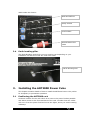
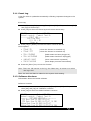
The front and back flight case lid are identical.
To open the case, press down into the lock as indicated and pull the top of the
lid towards you, then lift it out of the case.
Note: Do not fit the lid while the dimmer is in use. Current regulations
(BS7909) state that the beakers need to be accessible for emergency
use. The controls including the faders can be software locked.
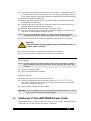
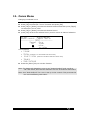
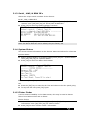
To close the lid hook metal plates on the base of the lid behind the aluminium
case strip as shown and then move the top of the lid towards the dimmer.
And press until the latch secures.
Note: The lids do not fit upside down on the dimmer
2.2
Front
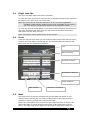
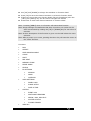
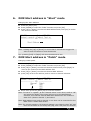
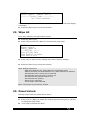
From the top the front panel you will find the large backlit LCD with the menu
controls and local faders. Below that are the dimmed channel breakers and
below that are the distribution breakers.
Lcd
Menu Controls
Dimmed channels
Distribution channels
Utility breakers
Main isolator
2.3
RCB for L1,L2 and L3
Back
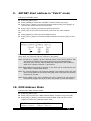
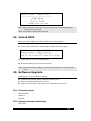
The back panel on the top left hand side are the DMX and Artnet in and
outlets, below that are the two utility breakers and to the right are the 8
Socapex or Harting outlets that connect the loads
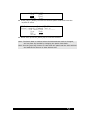
Below the outlet panel is an area where the mains connector is stored. The
main inlet cable is routed along the perimeter of the flight case as show
below. The edge strip of the flight case provides an edge that retains the
PowerCubeUser-V1 28/09/2009 16:52:00