1
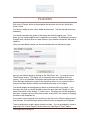
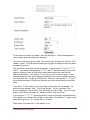
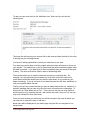
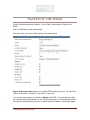
This screen will vary depending on what options you have chosen. Here I’ve created
two POW awards with different names. In the first one I’ve chosen a “Runner-up” option
on the second one I declined that option. In both case I chose to have a “Game of the
Week”.
Each option has a drop-down. So as an admin you can choose an alternative player to
what the system has selected. Their score will display in brackets after their name and
the list will be sorted from best to worst and have every player that played that week. So
if you have a tie it will arbitrarily select someone but you can override that and choose
who you want. You can select any player you like for the awards.
The game of the week only will show you the top 5 best games played that week. You
can also select “No award this week”. You might use this option near the start of the
season when you don’t have a lot of stats to work with. Until you’ve gone 4 or 5 weeks
the game of the week option may have a lot of ties and be difficult to decide a winner.
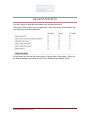
Finally you can enter some weekly notes if you wish. This gives you the opportunity to
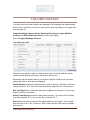
congratulate the award winners or state some facts or put whatever you like. This will be
shown on the league standings page. You do not have to put any notes, you may leave
it blank.
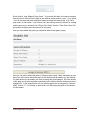
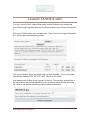
Once you are happy with your selections click on the “Give Awards Out”.
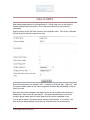
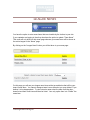
If you decide afterwards that you have made a mistake and want to make changes you
can do so. It will ask you are you sure as you’ve already calculated the POWs for this
week. If you say yes it will remove all awards given out for that week and allow you to
go through the process of re-selecting the winners.
YourLeagueStats.com Page 69