1
INSTALLATION
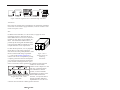
The PCM20H conforms to release 2.1 of the PC Card standard Type II
(5.0 mm thick) cards. Consult your laptop or notebook user manual for
instructions on how to install the adapter card. Attached via a 15-conductor
cable to the adapter card is a medium access unit. Field connections are
made to the medium access unit.
DOS and Windows 3.1X Instructions
One of the design goals for the PCM20H PC Card ARCNET Adapter was to
use existing drivers without requiring software modifications to those
drivers. PCM20.EXE is a terminate-and-stay-resident (TSR) software utility
that configures the PC Card socket to match the requirements of the driver
software. PCM20.EXE must be executed before the driver attempts to
access the PCM20H PC Card ARCNET Adapter.
The command line for the PCM20.EXE utility is as follows:
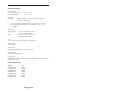
pcm20 -p<port adr> -i<enable> -1<interrupt level> -n<node id> -e -h
where
-p<port address>
-i<enable>
sets the base address of the adapter
16 sequential addresses are used
enables the interrupt if <enable> is ‘1’
disables the interrupt if <enable> is ‘0’
-l<interrupt level> sets the IRQ number for the interrupts
-n<node id>
sets the node address in hexadecimal that is
stored on the PCM20H PC Card ARCNET
Adapter to simulate the DIP switch setting
-e
enables extended error reporting. This will cause the Card
Services vendor and version to be displayed. Additional
information about certain errors will also be displayed.
-h
displays the syntax of the PCM20.EXE command line
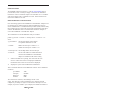
There are defaults built into the PCM20.EXE software. These defaults are
as follows:
port address:
interrupts:
IRQ level:
Node ID:
300h
disabled
IRQ5
0FFh
The Card Services software, which manages the PC Card
socket, will check the resources installed in your computer and will
complain if you attempt to request a resource that is already in use. For
example, if you have COM4 in your computer, the default base address is
TD877123-0IA
3