1
PAMGUARD V 1.2.00 Tutorial
Contents
PAMGUARD Overview.................................................................................................................................. 3
Exercise 1.
Installing PAMGUARD ......................................................................................................... 6
Exercise 2.
PAMGUARD familiarisation.................................................................................................. 6
Ex 2.1
Launching PAMGUARD ........................................................................................................... 6
Ex 2.2
PAMGUARD GUI overview ...................................................................................................... 7
Ex 2.3
Using the map .......................................................................................................................... 8
Ex 2.4
Setting up a sound source........................................................................................................ 9
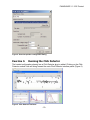
Exercise 3.
Running the Click Detector................................................................................................. 10
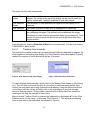
Ex 3.1
Tracking clicks manually......................................................................................................... 11
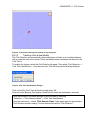
Ex 3.2
Tracking clicks automatically .................................................................................................. 12
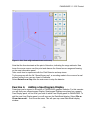
Exercise 4.
Adding a Spectrogram Display ........................................................................................... 14
Ex 4.1
Add plug in displays to the spectrogram ................................................................................. 16
Exercise 5.
Mysticete Detection............................................................................................................ 17
Ex 5.1
Energy Sum Detector............................................................................................................. 18
Ex 5.2
Spectrogram Correlation ........................................................................................................ 20
Ex 5.3
Matched filter Detector ........................................................................................................... 22
Exercise 6.
Ishmael “hyperbolic localizer” ............................................................................................. 25
Exercise 7.
Running the PAMGUARD 3-D module ............................................................................... 28
Exercise 8.
The Whistle Detector.......................................................................................................... 32
Ex 8.1
Load the sound file ................................................................................................................. 32
Ex 8.2
Adding a Whistle Detector module .......................................................................................... 32
Ex 8.3
Viewing whistle detections...................................................................................................... 34
Ex 8.4
Data from Seismic Surveys .................................................................................................... 35
Exercise 9.
Advanced display features ................................................................................................. 35
Ex 9.1
Adding further displays to Spectrogram Panels....................................................................... 35
Ex 9.2
Adding a Radar Display to the User Display panel.................................................................. 36
Exercise 10.
Likelihood Detector ............................................................................................................ 37
Ex 10.1
Disable Multithreading Model ............................................................................................. 38
Ex 10.2
Add a Likelihood Detection Module .................................................................................... 38
Ex 10.3
Configure the Sound Acquisition ........................................................................................ 39
Ex 10.4
Add a Spectrogram Display................................................................................................ 40
Ex 10.5
Configure the Likelihood Detector’s Parameters ................................................................. 45
Ex 10.6
Play back data file and view detections .............................................................................. 47
Exercise 11.
Detection during seismic source operation ......................................................................... 49
Ex 11.1
Loading the sound file ........................................................................................................ 49
Ex 11.2
Adjusting click detection parameters .................................................................................. 50
Exercise 12.
Don’t stop now! .................................................................................................................. 51
www.pamguard.org
-2-