1
3.4 Precautions in Installing the Printer
The printer must only be operated horizontally. Do not operate vertically or
install on a wall.
Horizontal position
Vertical position
CAUTION!
DO NOT use the printer under the following conditions.
■ A state subject to vibration or unstable state.
■ A state with this product slanted.
• Otherwise dropping may cause injury.
• Poor print quality may occur.
■ A state where this product is installed vertically or sidelong.
• Malfunction, failure, or electric shock may result.
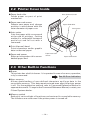
3.5 Partition for Paper Roll
At the time of shipment, this partition is set to “80-mm wide roll paper position”.
1. Confirm that the power switch is OFF.
2. Open the printer cover.
3. Set the partition to each to the slot which meets the width of the paper roll
used. When using the 83-mm wide paper roll, remove the partition.
4. Change the setting of paper width by reffering to the section 5.2, "Manual
Setting of Memory Switch".
60mm
Partition
80
mm
58mm
CAUTION!
When setting the partition to the slot for 58 mm or 60 mm paper roll, be sure not to set
it slanted.
— 18 —