1
PHOTOMOD 5.24
Creating project
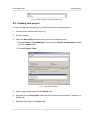
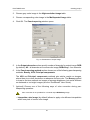
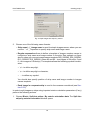
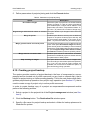
• Auto (by default) to define output format automatically depending on size of
source image.
The Auto option is recommended for scanner images.
5. In the Output folder section click the
button to define target folder of active
profile resources to place converted images files there.
6. In the If output resource exists section select one of the following actions for the
case if the target folder already contains files with the same names:
• Skip – allows to leave existing file;
• Overwrite – allows to refresh existing file;
• Rename – allows to save file with new name.
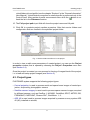
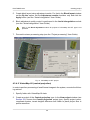
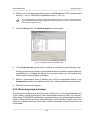
7. Click OK to start images loading operation. Once it is completed images loaded
will be shown in 2D-window.
8. [optional] Setup project images using ImageWizard.
After block forming you can proceed to aerial triangulation step (see the “Aerial triangulation” User Guide). If metadata with exterior orientation parameters is available, create
block layout in the “by exterior” mode, measure recommended amount of triangulation
points and proceed to adjustment step (see the “Block adjustment” User Guide).
5.6. Images correction and adjustment
5.6.1. ImageWizard
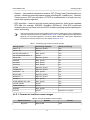
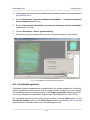
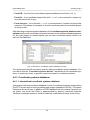
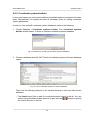
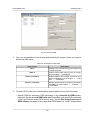
ImageWizard utility is intended for project images setting.
Since each source image in profile resources may be used by several projects, so only
the links to these source images and their features are stored in each project. For example, raster size and color, interior and exterior orientation parameters etc. Therefore,
main ImageWizard function – is managing of the links to the source files, i.e. matching
project images with raster files, as well as control of correctness of this matching.
Moreover, ImageWizard allows to build pyramids, and perform images radiometric
correction.
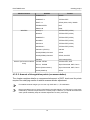
It is strongly recommended to follow instructions of the current chapter, since in some cases
incorrect setting of project images in the ImageWizard could result in undesirable consequences:
impossibility of further project processing, project data loss. Even though the project operational
state could be restored quite easily in the system, it is highly recommended to avoid any operation with project images if you are uncertain about the result. In case of some hesitation, please,
contact Racurs Technical Support Service.
67