1
Contents
Overview................................................................4
Use...........................................................................5
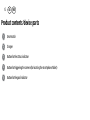
Product contents/device parts.............................6
QR code...................................................................7
General information..............................................9
Reading and storing the
instruction manual..................................................9
Explanation of symbols........................................10
Safety.................................................................... 13
Proper use............................................................... 13
Safety notes............................................................ 14
Checking the Smartwatch
and product contents..........................................24
Start-up................................................................25
Charging the rechargeable
battery of the Smartwatch...................................25
The Crane Connect app........................................29
Compatibility......................................................... 30
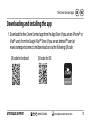
Downloading and installing the app................. 31
Connecting the Smartwatch with the
smartphone/tablet..............................................33
Setting the time...................................................35
Messages..............................................................36
Configuring notifications.................................... 36
Receiving notifications........................................ 38
Locating the Smartwatch.................................... 42
Configuring alarms............................................... 43
Daily goals........................................................... 44
Setting daily goals................................................ 46
Viewing your daily progress................................47
Sleep mode ............................................................ 51
Remote trigger.....................................................54
Locating a smartphone or tablet........................55