1
PSE606/608
Daisy chain setup procedure
The ServPower Freelancer can be daisy chained up to a maximum of sixteen units (1 Master and up to 15 Satellites).
Each unit in the chain must have its own unique identification number. The default ID# is “01“. The first unit must be a
Master model (PSE606MA or PSE608MA) and must be configured before you can begin daisy chaining any additional
Satellite units. Please follow the procedure below to daisy chain the ServPower Freelancer units:
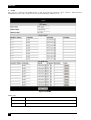
Figure 3 - First ServPower Freelancer
1.
2.
3.
4.
5.
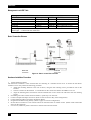
Make sure that the terminator is plugged into the first ServPower Freelancer's cascade port (see Figure 3).
Plug the first ServPower Freelancer's power cord into utility power.
Turn the power switch on.
Setup the ServPower Freelancer (see Hardware Installation Procedure above).
Configure the first ServPower Freelancer's ID number (each unit must have it's own unique ID#, the default ID# is
"01").
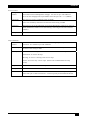
Figure 4 - Cascading two units
6.
7.
8.
9.
10.
11.
12.
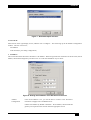
Make sure that the second unit has the terminator plugged into the cascade port (see Figure 4).
Connect the first and second unit together with the cascade cable.
Plug the second ServPower Freelancer's power cord into utility power.
Turn its power switch on.
Configure the second unit's ID number (each ServPower Freelancer must have it's own unique ID#, the default ID#
is "01").
If there are only two units required for this application, then this completes the daisy chaining procedure and the
ServPower Freelancers are ready for use.
If your application requires additional ServPower Freelancers, then continue on with the daisy chaining procedure.
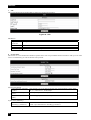
Figure 5 - Cascading three units
13.
14.
15.
16.
17.
18.
19.
20.
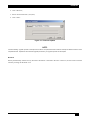
Make sure that the third ServPower Freelancer has the terminator plugged into the cascade port (see Figure 5).
Remove the terminator from the second ServPower Freelancer.
Connect the second and third units together with the cascade cable.
Plug the third unit's power cord into utility power.
Turn the power switch on.
Configure the third unit’s ID number (each ServPower Freelancer must have it's own unique ID#, the default ID#
is "01").
If there are only three units required for this application, then this completes the daisy chaining procedure and the
ServPower Freelancers are ready for use.
If your application requires additional ServPower Freelancers (maximum of sixteen), then repeat steps 13-19 of the
Daisy Chaining procedure.
9