1
Section 1
Quick installation guide
1.1 Basic connection and settings
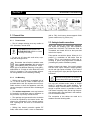
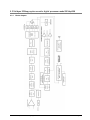
CONNECTIONS
Power supply
SETTINGS
Controls
Before plug in; check the position of the AC
VOLTAGE selector, on the rear panel (200240 V, 50/60Hz; or 100-130 V, accords to
correspond).
Inputs
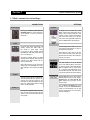
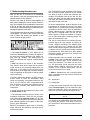
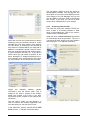
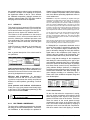
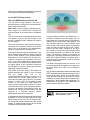
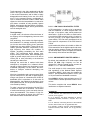
All settings values are entered using a JOG
Wheel. Turn the JOG to select options and to
change values. Pressing briefly the JOG,
confirms an option. Pressing and holding the
JOG (around one second), go to the main
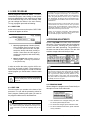
menu. Each screen graphically indicates the
actions available with the JOG (see figure).
Input
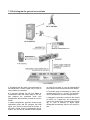
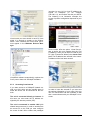
The analog audio inputs are Balanced XLR
(female). Connect the PGM output of
the console to these inputs, caring
not to invert the phase. ALWAYS connect
BOTH INPUTS. If the output of the console is
mono use cable type "Y".
The unit has (optional) AES-3 i/o for digital
AM transmission. Supports 16/24 bit and frequencies from 30 KHz to 96 KHz. The connector is a female XLR.
When using this input, we also connect the
analog inputs. The 562dsp/AM has an automatic switching in case of failure in the digital
input.
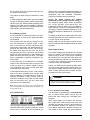
The default input level is +4dBu. If your console manages a different level, you must adjust the processor input level.
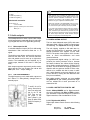
Press briefly the JOG to enter to the main
menu. Choose the option “Setup Input” and
adjust the level according to the nominal specified on your console.
Programs
Your radio already is on the air with the
sound of the Solidyne 562dsp. At this point,
you must be anxious to listen what 562dsp is
able to do with the sound of your radio on the
air… to begin we will explain briefly how to
select the factory presets. Tunes your radio in
a good audio equipment and do the following:
Outputs
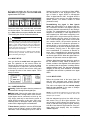
There are 2 audio outputs for AM transmission. Both presents the same signal (L + R).
Connects one of the 562's outputs to your
transmitter. The output level adjusts from Settings menu (Output setup). Maximum output
level is +12 dBm (balanced).
Power on
The unit has an ON/OFF switch on the rear
panel. The main screen Hill show a welcome
splash on start up; and then will load the last
used program.
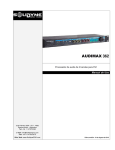
SOLIDYNE 562dsp - AM broadcast processor
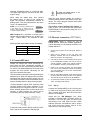
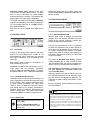
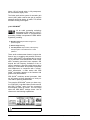
Turn the JOG. Note on the screen how the
different presets programs names changes.
Pressing briefly the wheel load the program, changing the processing and the
sound on the air.
The 15 PRESET PROGRAMS can not be
changed. You have 15 USER MEMORIES to
create your own adjustments. You can start
copying a preset program to a user memory,
and soon modifying it.
Page 5