1
Using Q-CPR in Manual Defib Mode
15: Q-CPR and Data Capture
Using Q-CPR in Manual Defib Mode
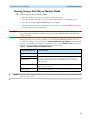
When the Therapy Knob is moved to the 150J Manual Defib setting, the Advanced CPR View is
automatically displayed only if the Sync function is disabled, patient category is Adult, and patient age is
equal to or greater than 8 years old. Advanced View is automatically displayed after the Manual Therapy
Security password is entered, only if Manual Defib Mode is password protected.
When the Therapy Knob is located on any other Manual Defib setting, a compression on the CPR meter
turns on Advanced CPR View. Advanced View may also be manually displayed by pressing the [Start
CPR] soft key. Also, the patient category must be Adult and the patient age must be equal to or greater
than 8 years old to display the view for either action.
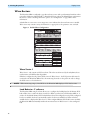
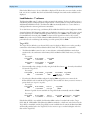
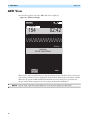
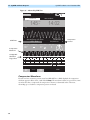
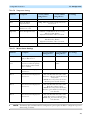
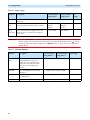
Wave forms for ECG, invasive pressure (ABP, ART Ao or PAP) and CO2 parameters can be viewed
during the use of Q-CPR. If an ABP, ART Ao or PAP pressure measurement is active, the waveform
always appears in Wave Sector 3 and the pressure value displays in Parameter Block 2. If two pressures
labeled ABP, ART, Ao or PAP are available, the label assigned to Pressure 1 is displayed. If no pressure is
active, then the compression waveform appears in Wave Sector 3. Parameter Block 2 displays
compression and ventilation measurement information. The EtCO2 waveform will appear in Wave
Sector 4 if present. AwRR numeric values are not displayed.
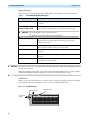
NOTES: If the Pads/CPR cable is not connected when you turn the Therapy Knob to Manual Defib Mode, the
message Connect Pads/CPR Cable displays.
When using Q-CPR, SpO2 monitoring functionality is not available.
Compression and ventilation measurement values are printed in the annotation area of the ECG printed
strip.
Using Q-CPR in AED Mode
In AED Mode, CPR feedback is provided automatically during the CPR Pause period of the AED
protocol or manually when the [Pause for CPR] soft key is pressed. If your No Shock Advised
(NSA) Action configuration item is set to provide a CPR Pause interval, Q-CPR can be activated by
delivering a compression with the CPR meter.
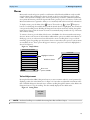
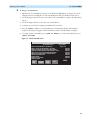
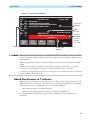
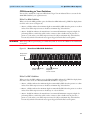
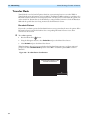
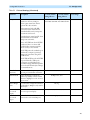
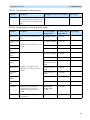
As in Manual Defib Mode, voice prompts are issued to guide you if necessary, however, in AED Mode
they are accompanied by a momentary text message appearing on the HeartStart MRx display. A
configurable CPR Timer status bar is also displayed. The time period of the CPR Timer is determined by
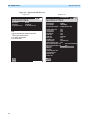
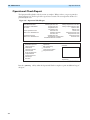
the Configuration setting for CPR Pause Time. See Figure 99.
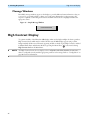
NOTES: Basic CPR View in AED Mode displays the ECG waveform only, Q-CPR prompts appear as text on the
display and the compression waveform is not displayed while performing CPR in AED Mode.
If the Pads/CPR cable is not connected when you turn the Therapy Knob to AED Mode, the message
Connect Pads Cable is displayed.
Compression and ventilation measurement values are printed in the annotation area of the ECG printed
strip.
175