1
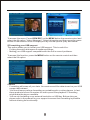
10.3 Check what DVB-T channel is transmitted to your VCR/DVD recorder
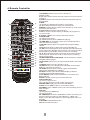
You just have to press the A/B key on the remote to display the channel broadcasted
on your recorder. Press again to exit the interface.
Notes on the recording function through SCART:
- Records must be made in stereo mode (the default mode) and not in AC3. When
you select the AC3 audio channel (on the DVB-T channels which offer this
option), the AC3 signal is transmitted via the digital coaxial or optical output and
decoded directly from your home theatre equipment. By consequence, if you
have selected the AC3 signal and if you want to record a programme, you must
first exit the AC3 mode to return to the stereo sound track by default. Otherwise,
your recording will have no sound.
- Be sure to deactivate the Subtitle option because it is not compatible with the dual
tuner.
- Recordings are made in PAL format which is standard format for all recent
video/DVD recorder equipments. In case your recording is in black and white, it
means that your video recording device is obsolete.
26