1
Main Menu, Navigation and Setup Cont...
OPERATION
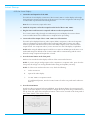
1. Overview
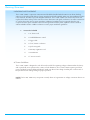
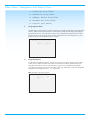
The operation menu is a selection of advanced parameters to adjust the unit operation and user
interface in the S-1200/ 1200U.
2. OSD Operation
A.
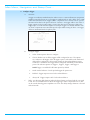
OSD On Time - Adjusts the amount of time the OSD stays on the active screen after a
button is pushed. The OSD on time can be adjusted from 0 to 10 seconds in 1 second
increments.
B.
Line Number – Adjusts the starting position of the OSD text. Every video display has
variances in where displayed images are placed respectively to the viewable area. When
the OSD is active it may be necessary to change where the text starts on the screen. The
line number can be adjusted from 1 to 12 lines down in 1 line increments.
C.
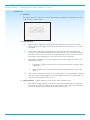
Menu Bkgnd – Adjusts the way OSD is displayed on the video display. The options are
Transparent and Solid.
D.
1.
Transparent – Displays only white text over whatever image that is currently on the
video display.
2.
Solid – Displays a blue screen with white letters masking the image on the video
display.
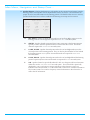
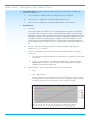
LCD Contrast – Adjusts the Contrast of the S-1200/ 1200U’s front panel display. Adjust the
value up or down until the display text is clearly visible from the main viewing angle. The
LCD contrast can be adjusted from 1 to 32.
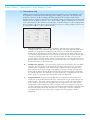
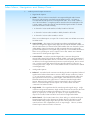
3. Audio Operation - Adjusts advanced S-1200/ 1200U audio related functions.
A.
34
Mute Mode – Adjusts the level of attenuation used when the Mute button is depressed.
The options are “Full” for complete silence when pressed and “-20dB” that will drop the
level by 20 decibels passing a significantly reduced audio signal.
S-1200/ 1200U