1
Epica Expansion Chassis
Table of Contents
Chapter 1 Introduction ......................................................................................3
1.1
Features ......................................................................................................................................................... 4
1.2
Technical Specifications .......................................................................................................................... 5
1.3
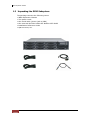
Unpacking the JBOD Subsystem......................................................................................................... 6
1.4
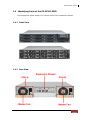
Identifying Parts of the EP-2126J-S3S3............................................................................................ 7
1.4.1
Front View............................................................................................................................................ 7
1.4.2
Rear View ............................................................................................................................................. 7
1.4.3
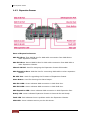
Expansion Drawer ............................................................................................................................. 8
1.5
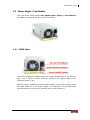
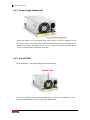
Power Supply / Fan Module ................................................................................................................. 9
1.5.1
PSFM Panel.......................................................................................................................................... 9
1.5.2
Power Supply Module LED ......................................................................................................... 10
1.5.3
Fan of PSFM...................................................................................................................................... 10
1.6
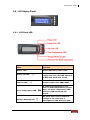
LCD Display Panel ................................................................................................................................... 11
1.6.1
LCD Panel LED ................................................................................................................................. 11
1.6.2
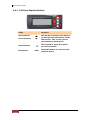
LCD Panel Function Buttons ...................................................................................................... 12
1.6.3
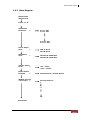
Menu Diagram ................................................................................................................................. 13
1.7
Drive Carrier Module.............................................................................................................................. 14
1.7.1
Disk Drive Status Indicators ....................................................................................................... 14
1.7.2
Drive Carrier Lock Indicator........................................................................................................ 15
Chapter 2 Installation of Expansion Chassis............................................ 16
2.1
Installing Hard Drives............................................................................................................................. 16
2.2
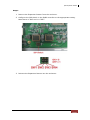
Setting the DIP Switch of Expansion Drawer............................................................................... 18
2.3
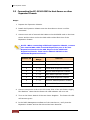
Connecting the EP-2126J-S3S3 to Host Server or other Expansion Chassis.................. 20
2.3.1
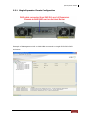
Single Expansion Chassis Configuration ............................................................................... 21
2.3.2
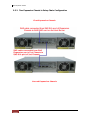
Two Expansion Chassis in Daisy-Chain Configuration .................................................... 22
Chapter 3 SAS JBOD Activate Zone Function ........................................... 24
2
User Manual