1
Chapter Ten Setting Your Computer
10.1 Setting Description
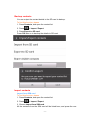
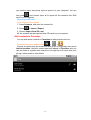
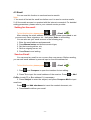
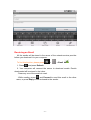
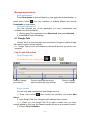
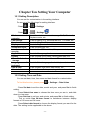
You can set for customization in the setting interface.
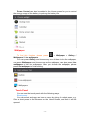
Do as one of the followings for setting interface.
· Press
>
> Settings
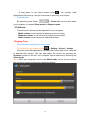
· Press
>
> Settings
Wireless
&
networks
Call settings
Sound
Display
Accounts & sync
Location
&
security
Applications
Privacy
SD card & device
storage
Language
&
keyboard
Date & time
About device
To set for wireless connection, e.g. Wi-Fi, Bluetooth,
Airplane mode, etc.
To set for calling, e.g. Voicemail service, TTY mode, etc.
To set for Ringtone, Volume, etc.
To set for Brightness, Animation, etc.
To set for Auto-sync, etc.
To set for Use GPS satellites, Set up screen lock, etc.
To set for Manage applications
To set for Back up my data, Factory data reset, etc.
To check Available space, Format SD card, etc.
To set for Select language, Android keyboard, etc.
To set for date, time zone, date format, etc.
To check Status, Battery use, Legal information, etc.
10.2 Setting Time and Date
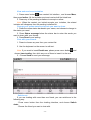
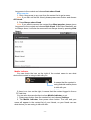
You can set date, time, time zone and date format for customization.
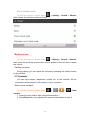
To find this function, please press
> Settings > Date & time
· Press Set date to set the date, month and year, and press Set to finish
setting.
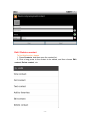
· Press Select time zone to choose the time zone you are in, and slide
down to view more.
· Press Set time to set hour and minute, and press Set to finish setting.
· Tick or untick Use 24-hour format to switchover between display
formats of 12 hours and 24 hours.
· Press Select date format to choose the display format your want for the
date. The setting is also applicable to the alarm.
- 62 -