1
Setup Menu
How to program advanced configuration settings
Setup Menu
The SV controllers feature an advanced setup menu which allows customisation of the
adjustable controller settings. Menu item options are detailed in the list below.
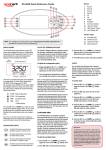
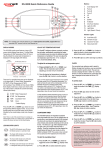
Press and hold
Press
Press
To enter menu press and hold
is displayed
+
to enter adjustment
to confirm & save
IMPORTANT NOTES
The setup menu item settings are stored in non volatile memory (EEPROM) and
are remembered when power is turned off. No need to reprogram settings when
power is restored.
A ten (10) second idle menu time out period exists. If a button press is not detected
for 10 seconds the menu will time out and the screen will return to the default
display mode.
or
to navigate through menu item list
Press
to enter menu item adjustment
Press
or
Press
to confirm setting and exit menu
to adjust setting
Setting
Notes
MODE
Operating Mode
Normal / Economy / Away / Week Modes
FILT
Hours of filtration per day
1 to 24 hours
F.CYC
Filtration cycle blocks
Set filtration to run every 1,2,3,4,6,8,12 or 24 hrs
SNZE
Sleep time menu
1.SNZ
Sleep timer 1
2.SNZ
Sleep timer 2
R.SET
Reset sleep timers
EXIT
Exit sleep time submenu
[1.DAY] Days of week, [1.BGN] Begin Time, [1.END] End
Time
[2.DAY] Days of week, [2.BGN] Begin Time, [2.END] End
Time
Reset sleep timers to factory defaults
P.SAV
Power save settings
Off, Low (off-peak filtration), High (off-peak filtration & heating)
W.CLN
Automatic sanitise time
Daily run time of automatic sanitise cycle (00:00 - 23:59)
D.DIS
Default display mode
Water Temp (W.TMP), Set Temp (S.TMP) or Clock (TIME)
T.OUT
Load time out period
Heat pump with
SV element boost
Exit setup menu
Pump / Blower time out period (10 to 60 minutes)
On = Heat pump + SV element combined for heating
Off = Heat pump only
H.ELE
20
Press
buttons until [MODE]
Menu
Item
EXIT
SV Series Spa Controls
and