1
.....
9.2 GENERAL
INFORMATION
9.1.3 Active Multicast List
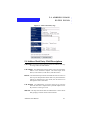
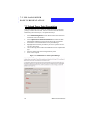
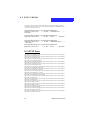
The following statistics break down the connections to the Torrent VCG by
displaying the current active multicast streams.
1.
2.
3.
Select System Information from the Administration Interface
Menu.
Select Usage Statistics from within the System Information submenu.
Select Active Multicast List from within the Usage Statistics submenu
to see a report on the current active multicast list.
9.2 General Information
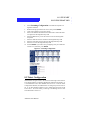
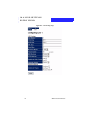
The General Information section of the Torrent VCG allows the administrator to check the current settings of the Torrent VCG, including the Product
Version, the Hostname, the System Time, the current Uptime, and the Network information.
9.3 Logs
The administrator can retrieve Logs from the Torrent VCG in two different
ways. The web interface allows the administrator to retrieve logs and have
them displayed on the screen for problem solving and status updates. Also,
the administrator can download W3C compliant logs from the FTP server of
the Torrent VCG for use in web tracking software.
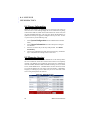
9.3.1 Retrieving Logs from the Web Interface
1.
2.
3.
4.
5.
64
Select System Information from the Administration Interface
Menu.
Select Logs from within the System Information submenu.
Check the box of the Log Type you wish to retrieve. Press Next
Step.
Enter the time at which you wish the logs to begin into the designated entry fields, OR select a time offset in the lower fields.
Press Next Step.
Enter the time at which you wish the logs to end into the designated entry fields, OR select a time offset in the lower fields.
Press Next Step.
Administration Manual