1
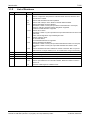
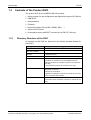
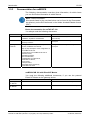
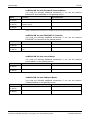
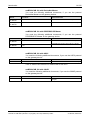
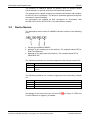
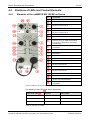
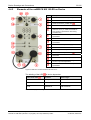
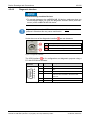
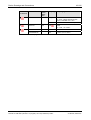
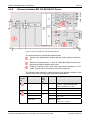
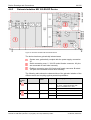
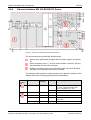
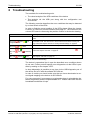
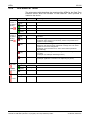
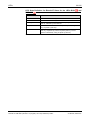
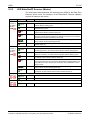
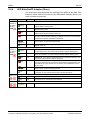
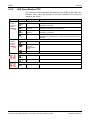
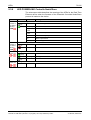
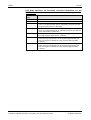
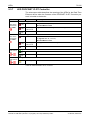
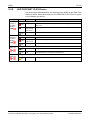
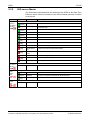
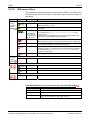
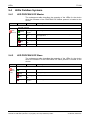
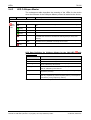
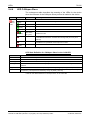
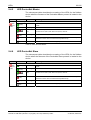
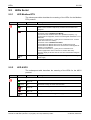
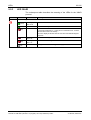
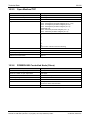
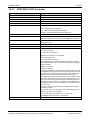
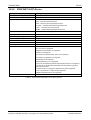
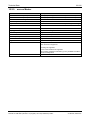
Troubleshooting 8 61/122 Troubleshooting Two methods for troubleshooting exist: The visual analysis of the LED conditions of the device The analysis via the USB port along with the configuration tool SYCON.net. The following overview describes the error conditions that may be detected by a visual check of the LEDs. In order to find the correct position of the LEDs please follow the chapter Positions of LEDs and Control Elements from page 31. The numbers in the column LED state is referencing the position number in the device drawing. LED state Remedy No LED is on The device is not powered or the device has a malfunction and needs replacement SYS LED flashes low/green at 1 Hz yel- SYS LED on yellow SYS LED on green APL LED red red on APL LED flashing or flashing green After a power cycle the device has not found a valid firmware and remains in bootloader mode. The device has to be recovered and set back to factory setting. Follow the chapter "Recover to Factory Default Settings" on page 52. The device has a malfunction and needs replacement. The device is well initialized. Further analysis is possible with the LED Follow the chapter “LED APL“ on page 63. APL. The communication via port X2 or/and port X3 is not in data exchange mode. See chapter “LED APL“ on page 63. Table 43: NB 100 Troubleshooting The device is operational just in case the described error conditions above do not met. Further protocol specific error diagnostics via the LEDs is possible by reading on the chapter “LED”. In deep diagnostics is possible at any time via the USB diagnostic port of the device and a PC with the software SYCON.net. In case of trouble you should make sure that you have downloaded a correct signal mapping to the device via SYCON.net For some protocols it is necessary to synchronize data via a handshake between the gateway and the superordinated PLC. Please make sure that the handshake mechanism is kept. netBRICK NB 100 | Gateway Devices DOC091111UM12EN | Revision 12 | English | 2014-03 | Released | Public © Hilscher, 2009-2014