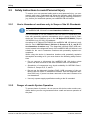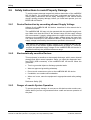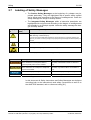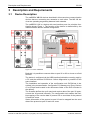
1
LEDs
9.4.4
79/122
LED CANopen Slave
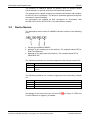
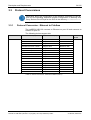
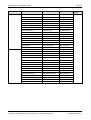
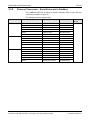
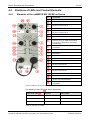
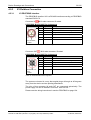
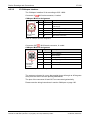
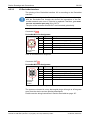
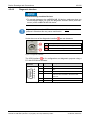
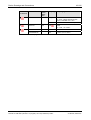
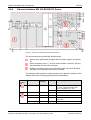
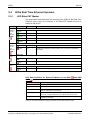
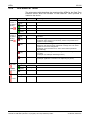
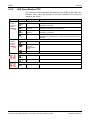
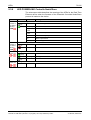
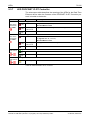
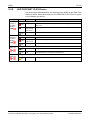
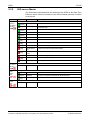
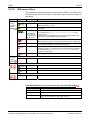
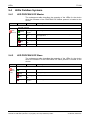
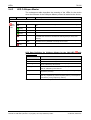
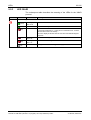
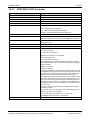
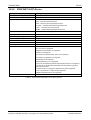
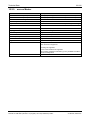
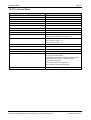
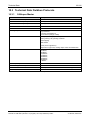
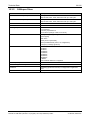
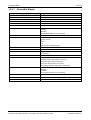
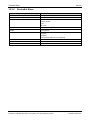
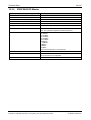
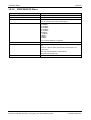
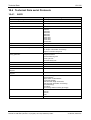
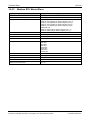
The subsequent table describes the meaning of the LEDs for the device
when the firmware of the CANopen Slave protocol is loaded to the device.
LED
Color
CAN
Duo LED red/green
with
protocol
at X3
State
Meaning
Off
RESET: The device is executing a reset
(green)
Single flash
STOPPED: The device is in STOPPED state
(green)
Blinking
PREOPERATIONAL: The device is in the PREOPERATIONAL state
(green)
On
OPERATIONAL: The device is in the OPERATIONAL state
Flickering
Auto Baud Rate Detection active: The Device is in the Auto Baud Rate
Detection mode
(off)
(red/green)
(alternatively
red / green)
(red)
Single flash
Warning Limit reached: At least one of the error counters of the CAN
controller has reached or exceeded the warning level (too many error
frames).
(red)
Double flash
Error Control Event: A guard event (NMT Slave or NMT-master) or a
heartbeat event (Heartbeat consumer) has occurred.
(red)
On
Bus Off: The CAN controller is bus off
Table 65: LEDs CANopen Slave
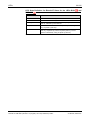
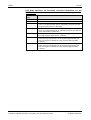
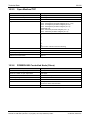
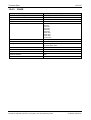
LED State Definition for CANopen Slave for the CAN LED
Indicator state
Definition
On
The indicator is constantly on.
Off
The indicator is constantly off.
Flickering
The indicator turns on and off with a frequency of 10 Hz: on for 50 ms, followed by off for 50 ms.
Blinking
The indicator turns on and off with a frequency of 2,5 Hz: on for 200 ms, followed by off for
200 ms.
Single Flash
The indicator shows one short flash (200 ms) followed by a long off phase (1,000 ms).
Double Flash
The indicator shows a sequence of two short flashes (each 200 ms), separated by a short off phase (200 ms). The sequence is finished by a long off phase (1,000 ms).
Table 66: LED State Definition for CANopen Slave for the CAN LED
netBRICK NB 100 | Gateway Devices
DOC091111UM12EN | Revision 12 | English | 2014-03 | Released | Public
© Hilscher, 2009-2014