1
Chapter 1 Overview of the Communication Functions
1.1
The recorder can be equipped with an optional Ethernet interface. For details on how to
use the Ethernet interface, see chapter 2.
Functional Construction
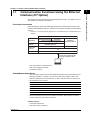
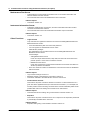
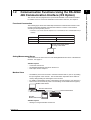
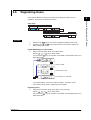
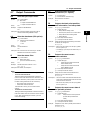
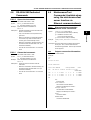
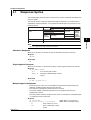
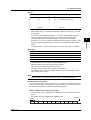
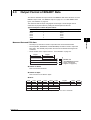
The following figure shows the relationship between the communication function of the
recorder and the Ethernet interface. Perform communication according to the respective
protocol.
* Protocol is a set of rules that two computers use to communicate via a communication line (or
network).
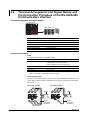
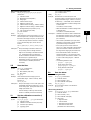
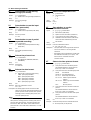
Application
Communication functions of the recorder
Setting/
Maintenance/
Measurement Server
Test Server
Login (user authentication/access
Instrument
privileges granting)
Information Server
Upper layer
protocol
Dedicated protocol
TCP
Lower layer
protocol
Interface
UDP
IP
Ethernet (10BASE-T)
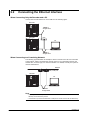
Connect the recorder and the
PC using an Ethernet cable.
PC
TCP (Transmission Control Protocol)
UDP (User Datagram Protocol)
IP (Internet Protocol)
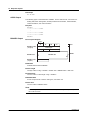
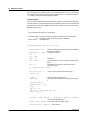
Setting/Measurement Server
• You can specify settings that are approximately equivalent to those specified by front
panel key operations. However, you cannot turn the power ON/OFF, set the user
name and password for communications, or set the customize menu or the key lock.
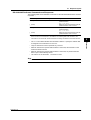
• The data below can be output.
Data Type
Output Format
Measured data
BINARY/ASCII
Setup data
ASCII
Most recent data of the periodic printout
ASCII
Status information
ASCII
Information on connected users
ASCII
• The commands that can be used are Setting commands, Basic Setting commands,
Control commands, and Output commands.
<Related Topics>
• Commands: Section 4.2
• Data output format: Chapter 5
IM 04P03B01-17E
1-1
1
Overview of the Communication Functions
Communication Functions Using the Ethernet
Interface (/C7 Option)