1
Document
Technical Specification
project title: Reader Suite – User Manual
version: v1.07
status:
date:
2014-08-14
doc
4 Configuration
To configure the Reader Suite itself, a specific reader or a scanned tag, there are two ways to get to the
Settings-Dialog.
One way is to select the item of interest in the main widget (Reader, Tag, Application = white space), so
the information widget shows the information about the desired item. If the item is selected, the button
at the bottom of the information widget will point to the settings dialog.
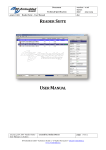
For example to configure the application, the white space of the
main widget has to be selected. After this the information
widget shows the button “Application Settings” at the bottom.
The other way to get to the Configuration/Settings Dialog is to right-click the desired item. The menu
point “Settings” will always appear and will always open the context dependent settings dialog.
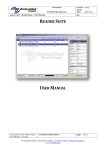
For example to configure a reader a right-click on the
reader in the main window will show the menu with the
entry “Settings”. Clicking on the “Settings” button will
open the settings of the reader.
20140813_EN_UM - Reader-Suite User Manual_v1.07.docx
created by: Stefan Detter
page: 6 von 14
RF-Embedded GmbH • Kufsteiner Straße 11 • D-83080 Oberaudorf • [email protected]
www.rf-embedded.eu