1
Horus User Manual
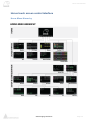
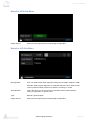
Modules: ADA Sub-Menu
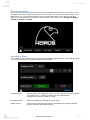
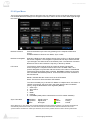
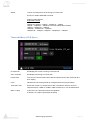
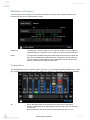
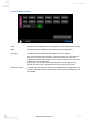
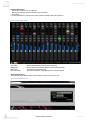
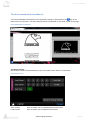
Mic Alignment:
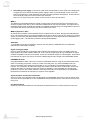
User can offset the Mic Gain Alignment scaling from a Range of 0dB to +12dB.
Example: Setting a gain alignment of +10dB will make the Hapi, Web Access
or the Pyramix PreAmps control to be offset by a scaling of +10 dB.
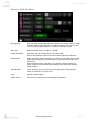
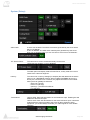
Max Level
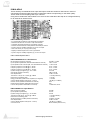
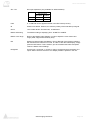
Maximum Output Level: +18 dBu or +24 dBu
Output attenuation:
Calibration of the D/A output (Range -60.0 dB to 0 dB).
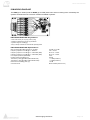
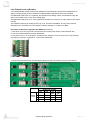
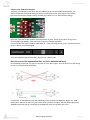
Refer to the Hardware section for the D/A onboard output level calibration.
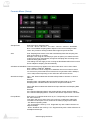
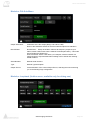
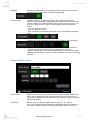
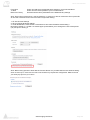
Roll Off Filter:
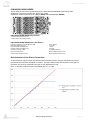
Sharp roll-off filter: Offers a flat frequency response up to 22kHz, within 0.2dB,
which has the tradeoff of 36 samples latency. This mode was and still is the
default one.
Slow roll-off filter: Offers a low latency of 9 samples, with the tradeoff of a
gentle frequency response attenuation starting around 16kHz and reaching 2.5dB at 22kHz
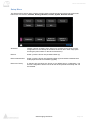
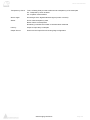
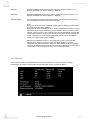
Serial Number:
This is the place you can access all your Modules serial numbers without
having to unslot them or open the box
Type:
Module Type description
Output Source:
Shortcut to the Output Source Routing Page configuration
www.merging.com/horus
Page 56