1
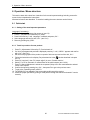
6. Operation / Menu structure
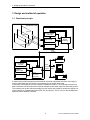
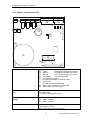
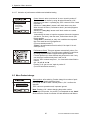
6.2 Operating mask and Adjustment menu
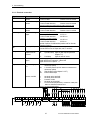
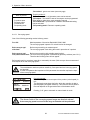
Product: Product 1
Em: 100% PW: 90,0°
Frq: 794 kHz
F1 adjustments
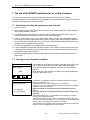
Product: Product 1
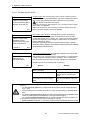
* 20.11.2000 18:52:29 *
** Metal
409
**
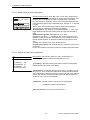
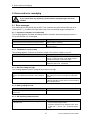
F1 adjustments
20.11.2000
F1
F2
F3
F4
18:59:16
change product
teach in product
setup
operating mask
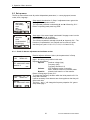
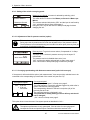
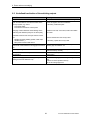
Operating mask: is displayed during operation.
Only this mask shows „metal detection“ and „self monitoring“
Displayed information:
Name of current product
Em: Sensitivity
PW: Product angle
Frq: Frequency
„DETECT“ appears when metal is detected. It disappears after 1
second. If a reject unit is controlled it will be extinguished with
the signal of the light barrier that synchronizes the rejection.
If activated, “QUICKLEARN” is blinking (see 6.4.2.4).
The analogue metal signal is displayed as a bar graph.
Key F1 gets to Adjustment menu.
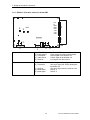
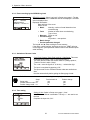
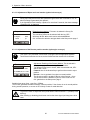
Metal mask: This mask appears after metal detection and after
the set delay time (see 6.4.2.6) . At the same time the metal
outputs are activated. After the ON- time or manual RESET the
operation mask appears.
This mask is only active in the operation mode. If during
operation a different menu was selected the metal outputs
are set despite of it.
Displayed informations:
Date and time of detection
Amplitude of the metal signal
(max. 2000)
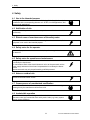
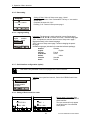
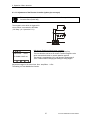
Setting menu: Pressing of the keys F1, F2 or F3 get to the
menus, where products can be changed, new products taught in
or device parameters can be set (Set up).
When the Access code was activated (see 6.3.3), the appropriate code must be input in advance. If the access code was
wrong, the display skips to the operating mask.
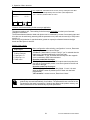
Key F4 get immediately to the operating mask
Exception: If no product is programmed the line F1„ change
product“ is suppressed.
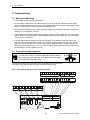
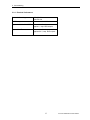
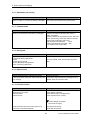
Additional information:
Date and time
21
TecTronix-GENIUS-BA-CU-EN-3006.doc