1
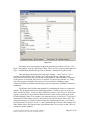
The Delay option is enabled for a discrete or continuous process (see Section
3.4) and it takes a positive real value or zero. A discrete process will fire just after its
delay time if the process is still active. Otherwise, it can lose its chance to fire. The
delay is specified in Petri net time [pt].
By default, the Activity property of a process is set to true. However, you can
write a script in the Activity field to turn the process on and off in the course of a
simulation. For an example on how to write a script, see Section 5.6
In the View and Shape category, you can modify the display properties
associated with the process.
5.4.3
Connectors
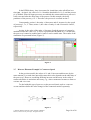
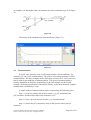
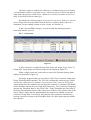
Figure 57
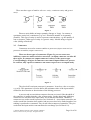
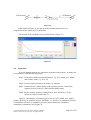
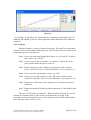
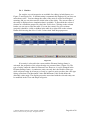
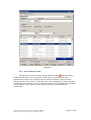
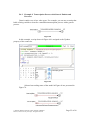
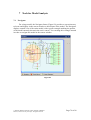
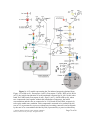
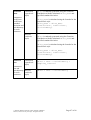
In the Connector List of the Element Lists frame, the Name, Type, From, To,
Firing Style, Firing Script and Visible properties are displayed (Figure 57).
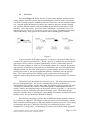
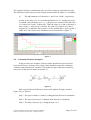
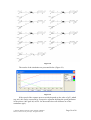
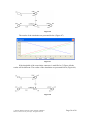
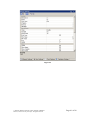
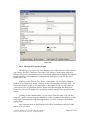
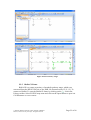
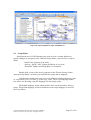
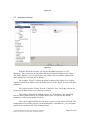
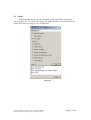
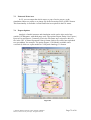
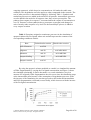
When a single connector is selected in a canvas, the Element Settings frame
displays its properties (Figure 58).
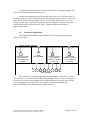
The major properties that you can edit are CSO Class, Connector Firing Style,
Firing Threshold and Firing Rule. The CSO Class defines the connector type, which
can have the values process, inhibitory or association. The Connector Firing Style
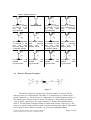
option defines how the condition for activating the connector is calculated. (It should
not be mistaken with the Process Firing Style parameter.) The Connector Firing Style
can take the Threshold, Rule or No Check value. In the Threshold style, the value of
the Firing Threshold determines if the connector is enabled; if the current value of the
source entity is larger than the threshold then the connector is enabled. In case the
Connector Firing Style is set to Rule, the behavior of the connector is defined by a
boolean expression (script) in the Firing Rule field. No Check option always enables
the connector.
© 2002-20 Human Genome Center, Institute of Medical
Science, The University of Tokyo. All rights reserved.
Page 44 of 88