1
Thank you for your puschaslng E-book reader.This manual describes tho various functions of
this E-book. So you can operate thg E.book freely and fully understand this product. This product
bring value to yourenjoyment. Plomc ruad this user manual carefully before using this e-book. The
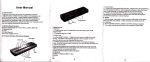
> APPearance and the KeY definition
deflnltlon
t - i nppsarance and tho Key
Key functlon llorcrlPtlon
manual version numder is Vor.
ilote:
1. Note that a new battery only ln two or ihrcc complote charge and discharge cyoles before we
can achieve optimal performanco,
A.New battery in use afier the flr6i thraa full potvar to extend 3*4 hours. The fouth start can be
just filled with power. So that csn echlava tha batt p8rformancei.ln order to prevent data loss,we racommand thc ucers to backup important data,especially
before the firmware update.
.This product is a high-precision electronlo produot, pl6ase do not disassemble it on their own.
S.Avoid strong beat or collision to the player,
player
blloWlng cnvironments:high temperature,low
6-Avoid using
temperature,humidity, dust, strong magnetlc fleldl,rnd lOng tOrm exposufe to sunlight.
7.Can be used wrung wet cloth gently wlpe tho chcll of thc player. lt is strictly prohibited to use
other chemimcal cleaning solutlone.
B.This player shall not be subJected to water droplctc and watar eplashing.Also it should not be
placed nBar the cup fllled with llquid ltems.
9.When you lestenning,please adiust the appropriate volume ln order to avoid hearing darnage.
1O.Please do not change any part of thls player
It.pleasa use the batteries, chargers and accossorles whlch allowed by manufacturer
12.The any other type of product us6d maybo dangerous and would violate the wananty
the
"fl::
in the
regulation.
13.Follow the relevant local environmental regulatlons to deal with the obsolete machinery and
accessories.
qr directly
14.1f you have any questlons durlng use the player, please contact your local dealer
with the company's customer service center.
1s..Products subject to any changes, without notice,for any inconvenience Caused, please
forgive us.
Special Note:
tn order to faeilitate reading, you can always read ebooks are stored in "Book" folder, The you can
open the fite rapidly and conveniently.
1., Direction keY
* 12 o press the button to retum
to main menu'
{ }
Fage uPldown or lolt rlght
the upper and lower item
in content i-nterface, short press io select
(l)
'Dab transfer
First,Connec,ttheplaygrtothecomputerbyUSBcable,thenchoosethefiieswhichyouneedin
to the player
the computer, copy the liles from mmputer
(=)
Charging SteP-s
l.Using the standard USB cable
player and computer's back-end USB port(do not
Step one: trsing ttte';Si;o1" connect ttre
exlend the charging time)
will
it
port,
otherwise
use the c;mputer's tront USB
the compuler screen will appear on-line
correctly,
comPuter
the
to
Afrer
connected
$tap two:
"safely removs hardware" to rcmove
the
icons, double-click lhe uottom rigtlt of the compuier
time the player begin t'o
connect to the computer, this
equipmeni, player do not pull out and 6ontinu6
charge.
2.Use the charger for cherglng
must meet the following rcguirements'
Spectal Note: the tir"J"O-"nitSer specilications
as man'made damage
othenrlse, any accident or failure cause wlll be
50/60H2 Max:150mA
IOOOmA(USB) 1500mA(DC)
lnput: AC110V-240V
Ou$ut:
DC5-0
*5.5V
Lopen the E'reader
pucnrnepoweronloffbuttonfrom"offto"on,totumlngontheplayer
-1-
-2.