1
PROSEGUR PROVIEW +
ADVANCED FUNCTIONS > AREAS THAT CAN BE DEACTIVATED
FROM THE KEYPAD
ASSIGN AREAS THAT CAN BE
DEACTIVATED
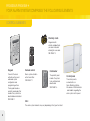
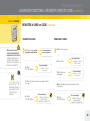
To go back a step, press
"ESC NO". You will
therefore be able to
select another function
that you ruled out
previously.
28
Areas that a user can access by activating
and deactivating the alarm system.
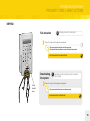
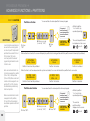
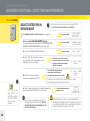
1. Identify yourself as a level 3 user (steps on page 21).
The screen will display:
NIVEL DE ACCESO
(ACCESS LEVEL)
NIVEL (LEVEL) : 3
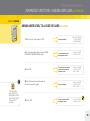
2. Access the "TARJETA/CODIGO ACCESO" (ACCESS
CARD/CODE) function (steps 2 and 3 on page 22).
The screen will display:
REGISTRAR NUEVO
(REGISTER NEW)
HORARIOS (TIMETABLES)
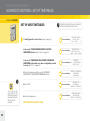
The screen will display:
CONFIGURAR.
(CONFIGURE)
TAR. (CARD) /
CODIGO (CODE)
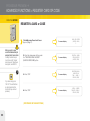
3. Access the "CONFIGURAR TARJ./CODIGO"
(CONFIGURE CARD/CODE) option and the user
whose configuration you wish to change (steps 3 to
7 on page 24).
i
i
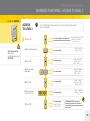
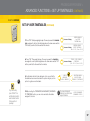
4. Press the down arrow until you see the "ZONAS
DESARMADAS" (DEACTIVATED AREAS) option.
(CONTINUES ON THE NEXT PAGE)
The screen will display:
ZONAS DESARMADAS
(DEACTIVATED AREAS)