1
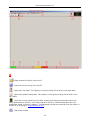
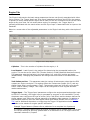
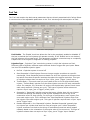
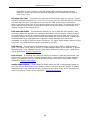
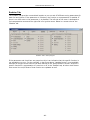
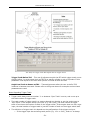
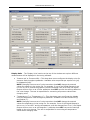
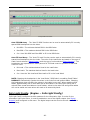
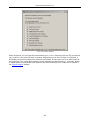
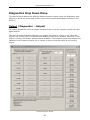
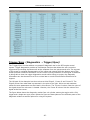
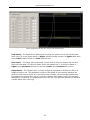
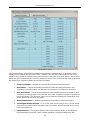
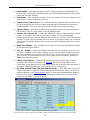
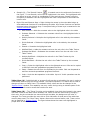
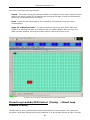
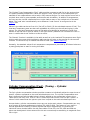
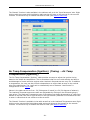
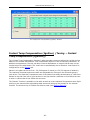
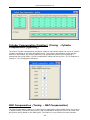
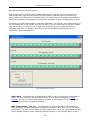
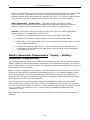
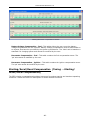
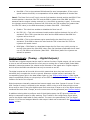
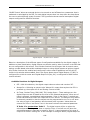
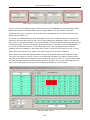
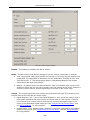
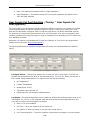
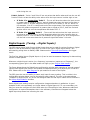
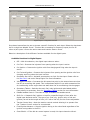
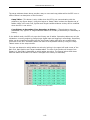
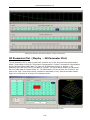
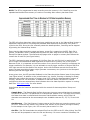
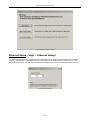
© Performance Electronics, Ltd. The different areas of the menu are described below. Repeat last command once a second - This check box repeats whatever the last com mand was at a rate of once per second. In the figure above, the com mand that would be repeated is to fire Digital Output #1. This feature is especially helpful when troubleshooting wiring with only one person. Injectors - This area of the menu provides both 'Fire' buttons (when the engine is not running) and 'Disable' buttons (when the engine is running). The 'Fire' button fires the injector one time unless the 'Repeat Last Command' box is checked. The 'Disable' button forces the injector to remain closed while the engine is running. Coils - The coils can also be test fired (when the engine is not running) or disabled (when the engine is running). The 'Fire' button fires the coil once unless the 'Repeat Last Command' box is checked. Each time the coil fires, it is charged based on the settings in 'Charge Time (ms)' under 'Ignition' . The 'Coils' section of the menu also has a check box for fixed ignition timing. When enabled, this feature allows the user to set fixed timing equal to the value entered, regardless of any of the other ignition timing tables in the PE3. Fixed ignition timing is only active while the user is in this diagnostic menu. Once the menu or peMonitor is closed, fixed ignition timing is no longer active. This function is helpful for checking ignition timing with a light on a running engine. Digital Outputs - The digital outputs can also be test fired in this m enu. The length of time the digital output stays on each test fire is adjustable by changing the 'On Tim e' drop down menu at the top. Input (Diagnostics Input) The 'Input Diagnostics' menu provides a single location where the user can view all of the analog and digital inputs at one time. In addition to the calibrated values (psi, degrees, %, etc), this menu also provides raw voltage and bit information for each channel. Below is an example of an Input Diagnostics screen. -66-























![AudioBox AB64 ABEdit Software User Manual [PDF Format]](http://vs1.manualzilla.com/store/data/005983205_1-2265185b3c4bf7986bc4222e13230c75-150x150.png)