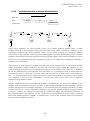
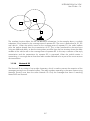
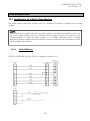
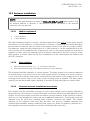
1
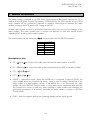
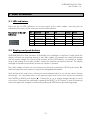
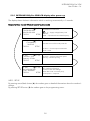
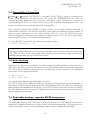
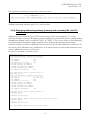
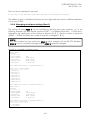
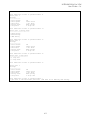
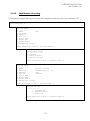
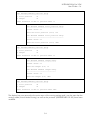
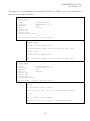
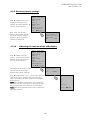
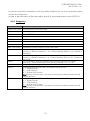
SATELLINE-EASy Pro 35W User Guide v.1.4 TX & RX freq: changes both TX and RX frequencies at the same time. TX freq: changes only the TX frequency. RX freq: changes only the RX frequency. Press ▲ or ▼ until the cursor > points at the correct selection and Press ”CHANGE” if the frequency is to be modified. >TX & RX freq TX freq RX freq Reference freq Ch Spacing BACK ▲▼ Change Band 1 limits Lo 403.00000 MHz Hi 473.00000 MHz TX & RX freq selected The frequency Band 1limits will be shown. Press and to get the Band 2 limits. Press “Set” to activate the change frequency window. Cancel The cursor > will now blink under the first digit of the value indicating the (this first digit cannot be edited). To move onto the next digit, press ”Next”. ▼ Set New common freq 468.52500 MHz ^ Press ▲ or ▼ until the said digit has reached the desired value. Press ”NEXT” to move on to the next digit and repeat the above-described steps. Previous steps are repeated four (4) times. Press ▲▼, until the last changeable digit has the desired value and confirm changes by pressing ”Set”. The following information will be displayed for a few seconds. Cancel ▲▼ Next Ch accepted 468.52500 MHz The radio modem will acknowledge changes if they are between band limits. The display will return automatically to display the main menu (if the entered frequency is not acceptable an error message will be displayed). CF 468.50000 MHz >468.20000 MHz ^ CANCEL ▼ SET Ch accepted >468.20000 MHz 60