1
Chapter 9: Linux Commands
In This Chapter
✓ Discovering the basics of command shells
✓ Identifying file and directory commands
✓ Discovering commands that help with packages and services
✓ Figuring out commands for managing users and groups
✓ Becoming familiar with networking commands
L
inux has several nice graphical user interfaces to choose from, and
many of the more common Linux networking functions have graphical
configuration utilities. Still, many Linux configuration tasks can be done only
from a command shell. In many cases, the configuration utility provides
access only to the most basic configuration parameters. So if you want to
configure advanced features, you have to use commands. In fact, some network features don’t have a graphical configuration utility, so you have no
choice but to use commands.
Even when GNOME-based alternatives are available, you’ll often resort to
using commands because, frankly, that’s what Linux was built to do. Unlike
Windows, Linux relies on commands as its primary means of getting things
done. So if you’re going to work with Linux, knowing the basic commands
presented in this chapter is a must.
Command Shell Basics
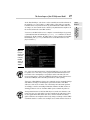
A shell is a program that accepts commands from a command prompt and
executes them. The shell displays a prompt to let you know it’s waiting for a
command. When you type the command and press the Enter key, the system
reads your command, interprets it, executes it, displays the results, and then
displays the prompt again so that you can enter another command.