1
2.2. DYNAST SHELL
2-3
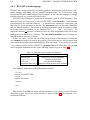
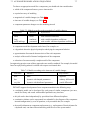
The problems submitted by users either in a graphical or textual form are converted in
DYNAST Shell to textual data. These data are read in by the SYSTEM section of DYNAST
Solver and used for preprocessing equations underlying the submitted problems.
The linear problems can be directly analyzed numerically in the frequency domain in the AC
section, or characterized by Laplace transforms in the PZ section. The former analysis requires
numerical solution of systems of complex-coefficient equations. The latter operation exploits
the double eigenvalue problem solution.
The resulting rational functions of the Laplace-transform variable s can be inverted in the
TRA section to obtain semisymbolic or numerical form time-domain responses. The transform
functions can be also converted into their frequency characteristics in the FRE section.
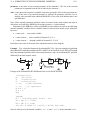
Systems of nonlinear equations submitted by the user, or derived automatically by DYNAST
for a submitted diagrams, are solved simultaneously in the implicit form in the TR section.
They are solved by the same algorithm regardless whether they are differential, algebraic, or an
algebro-differential mixture. There is only one numerical equation-solving procedure available
in DYNAST, but it is very efficient and computationally robust. This relieves DYNAST users
from the ambiguous decision which procedure to choose.
Both the step size and order of the numerical procedure are continuously optimized during
the solution process to minimize the computation time while respecting the permitted accuracy
tolerance. To increase the computation efficiency further, symbolic differentiation to evaluate
equation jacobians and sparse-matrix techniques are utilized. Even if the user-specified initial
conditions of the solution are inconsistent, DYNAST is able to find their nearest consistent
values.
Fast Fourier transform is used to compute frequency spectra of steady-state responses.
2.2 DYNAST Shell
DYNAST Shell provides a user-friendly access to DYNAST Solver. It has been designed to
suit well both to newcomers and advanced users. All operations are intuitive and supported by
a context-sensitive help system. Simultaneous pressing of the Shift and F1 keys opens a help
message related to the tool you are currently using. A built-in syntax analyzer is continuously
checking the submitted data and gives an error message in case of its occurrence.
The system of menus placed at the top of the main window as well as the variety of icons
at the toolbar below it do not remain unchanged during the DYNAST Shell exploitation. The
menus and toolbar change depending on which of the working windows is currently active.
This simplifies considerably users’ orientation in the tools and options available for different
operations.
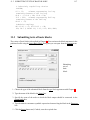
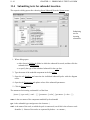
The graphical user interface of DYNAST Shell formed by dialog windows (wizards) allows
for submitting problems and their solution without learning any special language. The input
data is directly interpreted without any compilation delay.
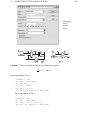
The preferred way of submitting problems to DYNAST Shell is the graphical one. Users
set up their physical or block diagrams from symbols representing physical phenomena, real
components or mathematical relations. The symbols are stored in symbol libraries which are
open in the sense that users may freely create and add submodels and symbols of their own.
Built in the program, there is both a schematic editor for diagrams and a graphical editor for
creating symbols. A special dialog box for each new submodel symbol is formed in DYNAST
Shell automatically.