1
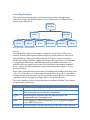
Image
ColorImage
HSLImage
RGBImage
MonoImage
BinaryImage
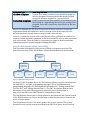
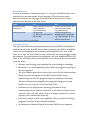
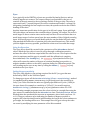
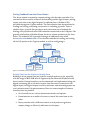
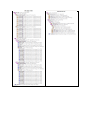
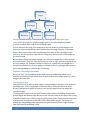
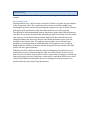
This shows the hierarchy diagram of the types of images and the class relationships between them.
Image is the base class for all other image types. If provides height and width
accessor methods that work across all image types.
ColorImage is the basic color image type and can either be a HSLImage or an
RGBImage representing the two most commonly used image formats. ColorImage
objects have three planes each representing some part of the total image. In an
RGBImage, the three planes represent the red, green, and blue values that make up
the total picture.
MonoImage objects represent a single color. BinaryImage objects have a single
bit for each pixel. They are often the result of a color or edge detection operation on
a ColorImage. For example looking for objects of a particular color might use a
threshold operation on a ColorImage resulting in a BinaryImage with each set
pixel corresponding to a pixel in the ColorImage.
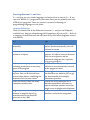
Common ColorImage operations
Once you have a ColorImage (either HSLImage or RGBImage) there are a
number of operations that can be done it. Most of these operations results in a new
image of the same size.
Threshold detection
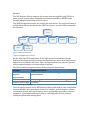
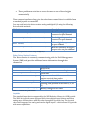
Threshold detection takes a three ranges corresponding to the three color planes in
the image type. A BinaryImage is returned where each pixel that is on in the
BinaryImage corresponds to a pixel in the ColorImage that was within the
threshold range.
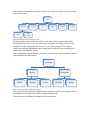
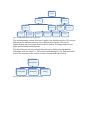
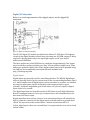
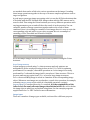
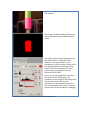
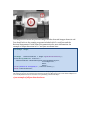
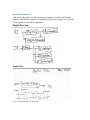
Locating color targets from the 2009 Lunacy game consists of finding the pink and
green targets and making sure they were one over the other in the right order. Using
a threshold operation to detect only the pink portion of the image is done using a set
of values that correspond to the pink color found on the targets. The result is a
bitmap (BinaryImage) that represents the pixel locations in the original images
that represent the matching colors.
Image
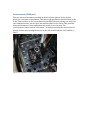
ColorImage operation