1
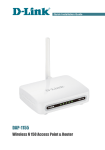
DAP-1150
Quick Installation Guide
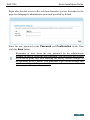
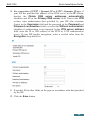
Right after the first access to the web-based interface you are forwarded to the
page for changing the administrator password specified by default.
Enter the new password in the Password and Confirmation fields. Then
click the Save button.
!
Remember or write down the new password for the administrator
account. In case of losing the new password, you can access the settings
of the access point only after restoring the factory default settings via
the hardware RESET button. This procedure wipes out all settings that
you have configured for your device.
13