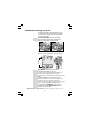
1
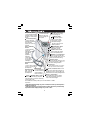
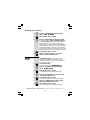
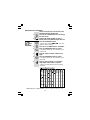
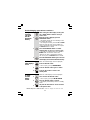
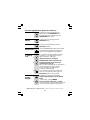
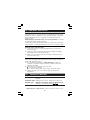
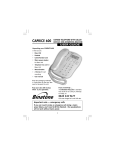
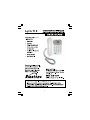
UP-DOWN (CDS) Buttons Ringer light - This flashes
DEL (DELETE) Button
when the phone is ringing
- To access the caller
- Press to delete individual
for an incoming call.
display records, and
messages, memos, stored
to scroll through lists
numbers or Caller Display
(MENU) Button
records.
and options.
- Press to enter Options
(PLAY/PAUSE) Button
Menu to set the Date,
Time,Screen Contrast,
- Press to play back
phone/TAM
settings.
messages and memos.
Press to pause
M1, M2, M3 one-Touch
playing of a memo or
Memory Buttons
message.
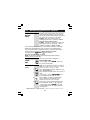
(PHONEBOOK) Button
OGM/ (REWIND)
- Press to access the
Button
Phonebook records.
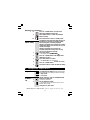
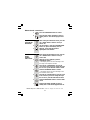
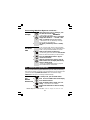
- Press and hold to
SPEAKER Volume control
record your
- Used to adjust the volume
outgoing messages.
level of the Speakerphone.
Press during
message
(REDIAL)/ P (PAUSE) Button
playback to
- Press to access the LNR lists
repeat the
when in standby mode. Press to
current message
insert a pause when dialing.
or to go back
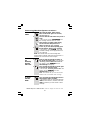
R (RECALL) Button
to the previous
- You may need this function if your
message(s).
phone is connected to a PBX, or if
SPEAKERPHONE
you use BT Calling Features.
Button
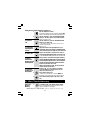
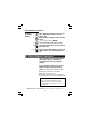
MESSAGE light
- Press to make, answer,
- Turns ON when the TAM is on. Flashes
or end a call using the
when you have new TAM messages.
speakerphone.
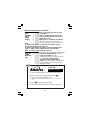
Microphone
(MUTE) / STO(Store) Button - Press
SPEAKERPHONE
- For speakerphone
during a call to mute the microphone or
light - Turns ON
use and answering
mouthpiece. Press to store the (M1, M2
when using the
machine OGM &
speakerphone.
and M3)one touch memory dialing buttons
Memo recording.
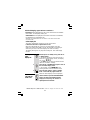
MEMO/ (SKIP) Button
- Press and hold to record a memo.
(EXIT)/ (ANSWER ON/OFF) Button
Press during message playback to
- Press to stop recording or playback.
skip to the next message.
Press and hold to switch the answering
maching ON or OFF.
With TAM ON is standby mode, press to select OGM1 or OGM2.
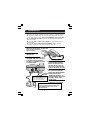
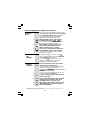
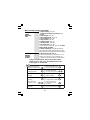
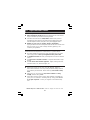
Important:
- When the instruction simply say 'press' a button, this means you should press it
briefly then release it.
- When the instruction say 'press and hold' a button, this means you should keep
it pressed until the display changes or you hear a tone.
2