Download Lyris 710
Transcript
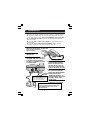
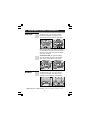
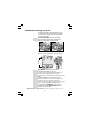
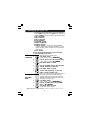
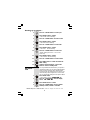
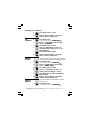
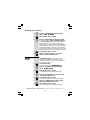
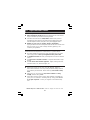
Setting up continue... 4 Press UP or DOWN button to set the year. 5 Press MENU button to confirm. Ö The ‘month’ will be blinking. 6 Press UP or DOWN button to set the month. 7 Press MENU button to confirm. Ö The ‘date’ will be blinking. 8 Press UP or DOWN button to set the date. 9 Press MENU button to confirm. Ö The ‘hour’ will be blinking. 10 11 12 Press UP or DOWN button to set the hour. Ö When setting the 'hour' it is in 24 hour mode only. Press MENU button to confirm. Ö The ‘minutes’ will be blinking. Press UP or DOWN button to set the minute. 13 Press MENU button to confirm the TIME and DATE setting. 14 Continue with programming, or press EXIT button to return to standby mode. You may need the Recall function if your phone is connected to a PBX, or if you use BT Calling Features. Flash is another name for the R (Recall) button, and the normal UK requirement is for 100ms, but some PBX may need a longer time, in which case you can change the setting from the Options Menu. Press MENU button. Ö The display shows OPTIONS MENU . Press UP or DOWN button until the display shows SET FLASH TIME TIME. SET FLASH TIME 1 2 3 Press MENU button to confirm. 4 Press UP or DOWN button to select 100MS (default), 300MS, 600MS or 1000MS. Binatone Help Line - 0845 345 9677 Calls are charged at Local Call rate. 8